Run a risk assessment
Score the products you pick with Fine & Kinney, EMKG or both, at every workplace that holds them, in one run.
One run assesses the products you pick, at every workplace that holds them. Each row is one product at one workplace.
Open Risk Evaluation in the sidebar. On the Products tab, tick the products to assess and select Create assessments, or select New assessment on one product's row. Use the filters to build the list first: see Decide which products to assess first.
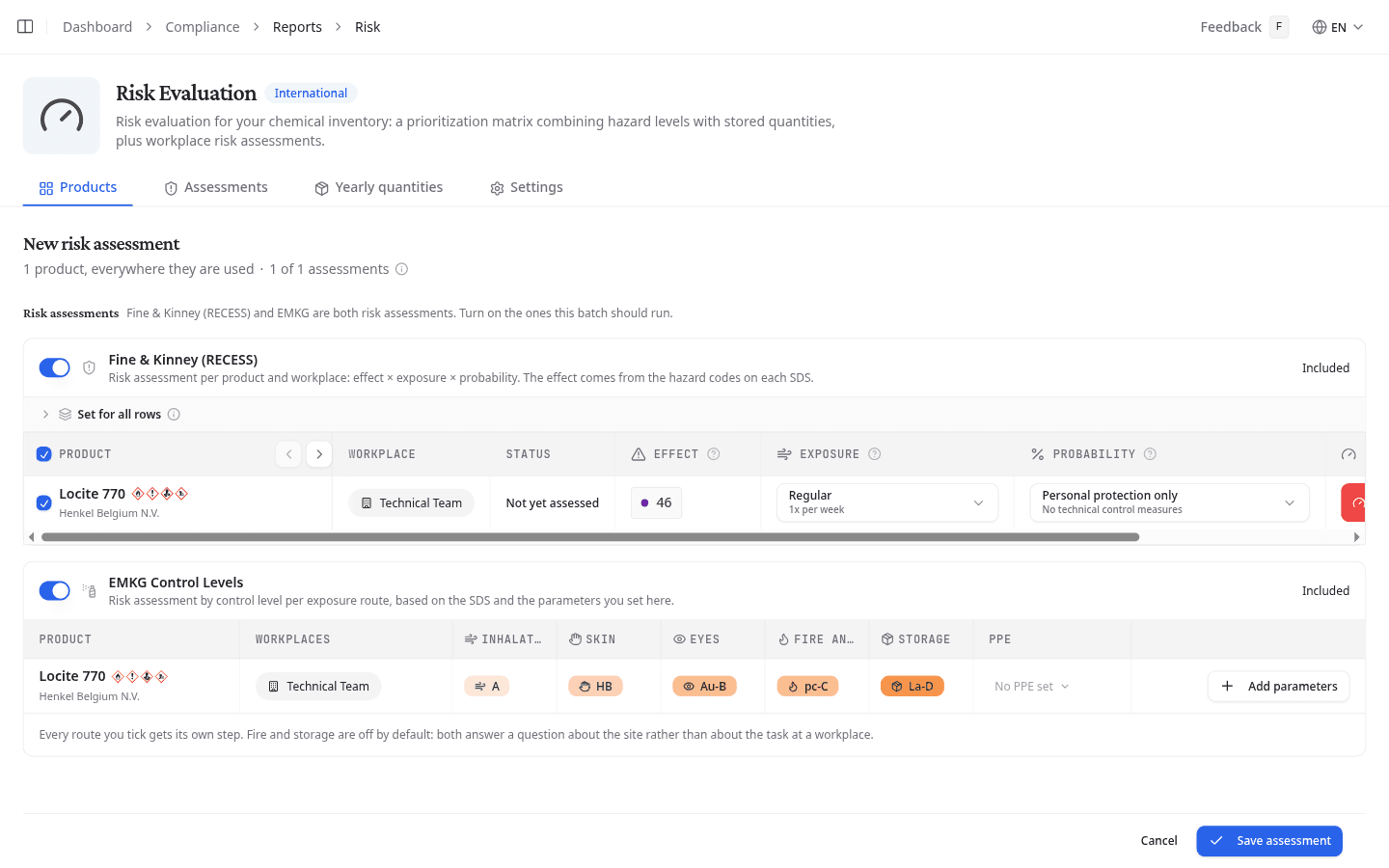
The line under New risk assessment says how many products are in the run and how many assessments it makes. A product that is in no workplace yet cannot be assessed: add it to a workplace first.
Choose the method
Turn on Fine & Kinney (RECESS), EMKG Control Levels, or both. A method that is off reads Skipped and writes nothing.
Score with Fine & Kinney
NextSDS reads the Effect from the H-statements on each product's safety data sheet. You set the other two factors per row:
- Exposure: how often people work with the product
- Probability: how likely contact is, given the measures in place
The Risk Score updates as you change them. Status says whether that product already has an assessment at that workplace. Most workplaces use the same exposure and protection for nearly every product, so open Set for all rows to fill a column at once, then correct the exceptions.
Untick a row to leave it out of this run. A product whose safety data sheet could not be read shows a dash and cannot be scored.
Score with EMKG
Each product gets one row, with the hazard group per exposure route read from its sheet. Select Add parameters to answer what the sheet cannot know. The questions come one step at a time:
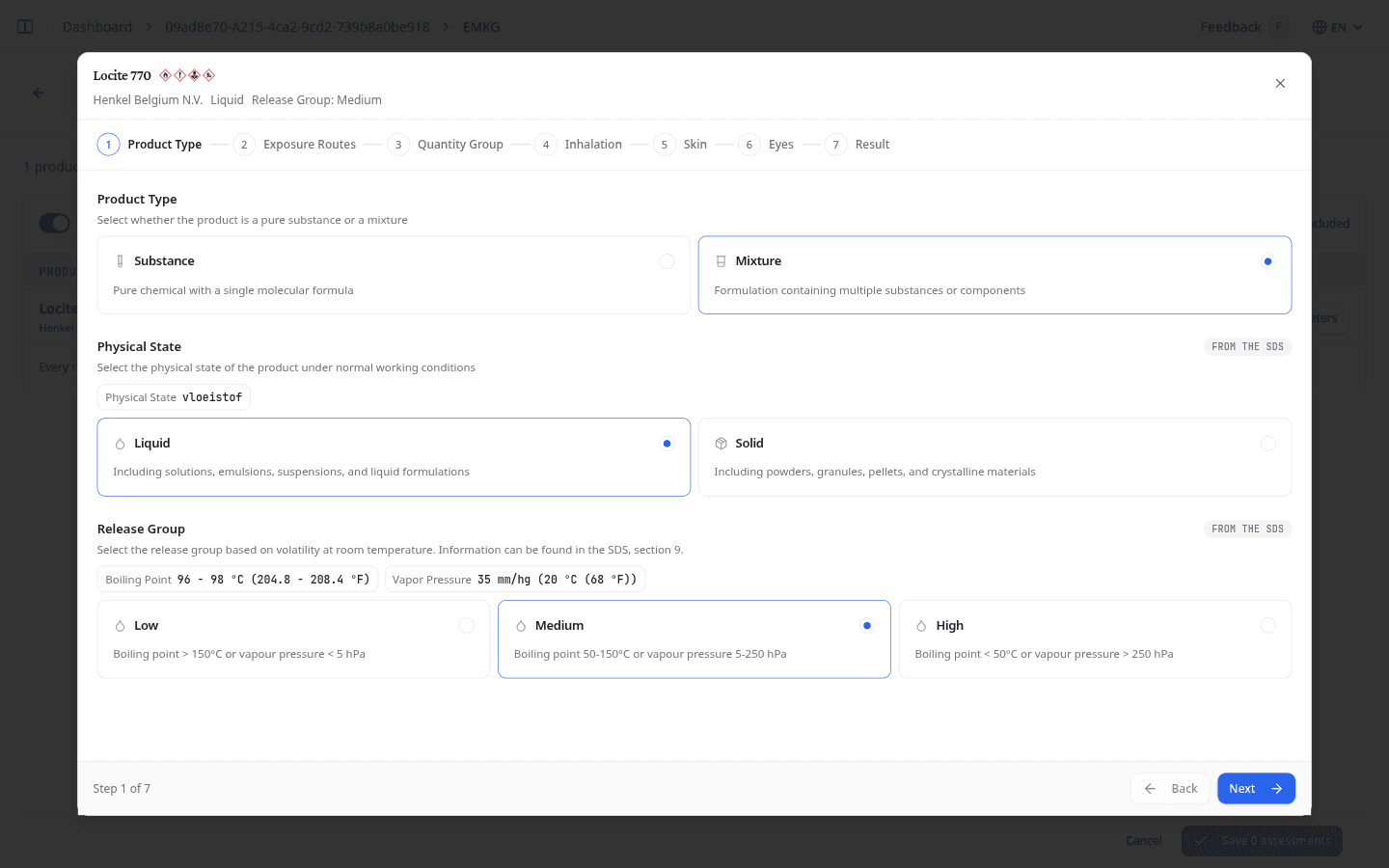
- Product Type: substance or mixture, solid or liquid, and the release group. NextSDS fills in what the sheet gives and marks it From the SDS.
- Exposure Routes: tick the routes to assess. Fire and storage are off by default, because both are about the site rather than the task.
- Quantity Group: how much is used per operation.
- One step per route you ticked, such as how the product is applied for inhalation, or the wetted area and contact time for skin.
- Result: the control level each route comes out at, per workplace. Add a Comment if the reasoning needs one, and check the PPE.
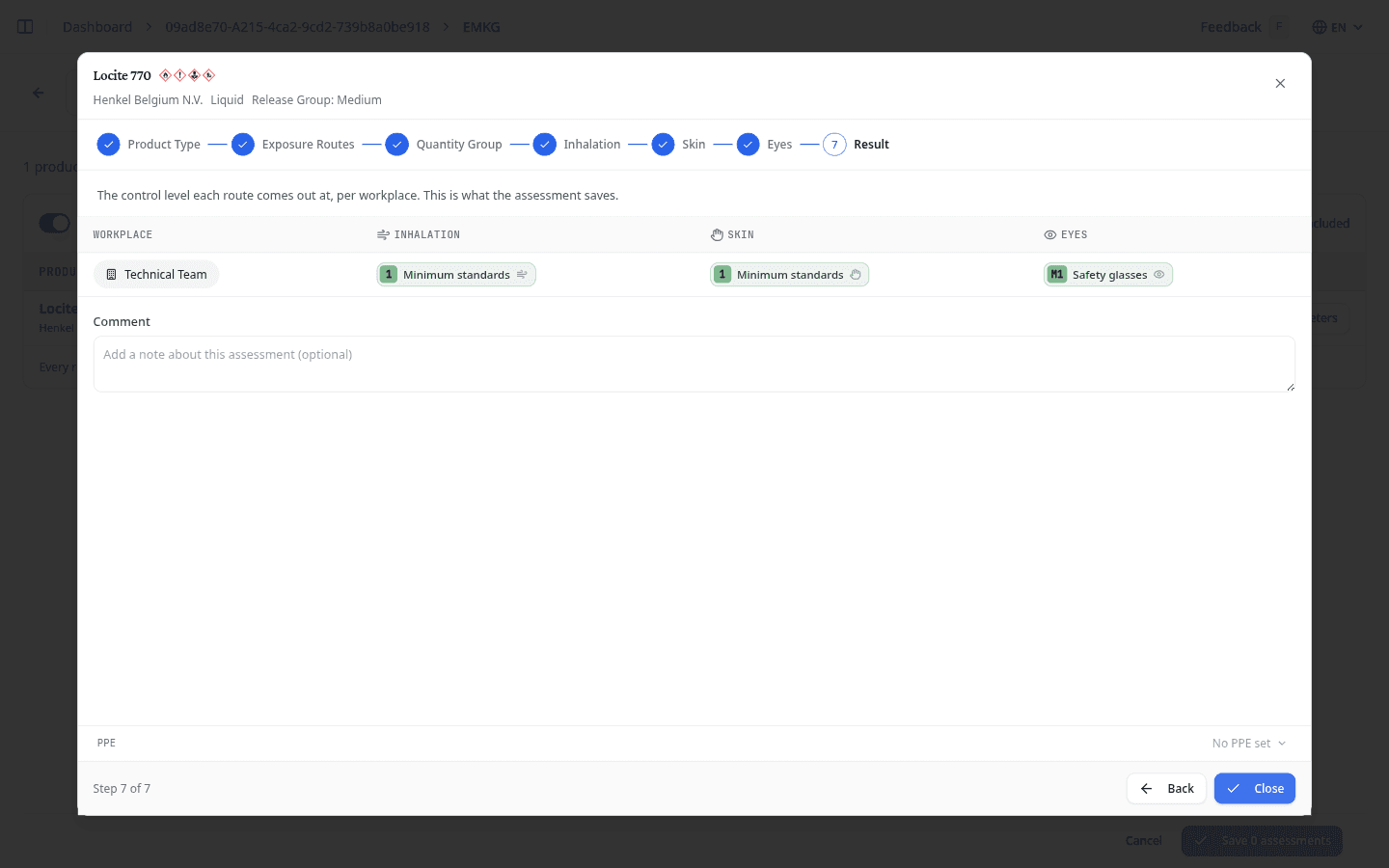
When a product is at more than one workplace, Does the task differ between workplaces? lets you answer once for all of them, or per workplace. Select Close on the last step to keep the answers. The row then reads Edit parameters.
What each question means, and what each control level asks of you, is on the EMKG method.
Save the run
Select the save button at the bottom. It counts what it will write, for example Save 15 assessments. With EMKG alone, it only counts the products whose parameters you have confirmed.
Saving replaces an earlier assessment of the same product at the same workplace. Opening a product that was already assessed starts from what was saved, so you see the earlier answers before you change them.
What to do next
Review the results and set the PPE for each workplace.