Organise products and workplaces with labels
Create labels to classify your products and workplaces, then filter your library and your reports on them.
Labels are your own categories, for example "Cleaning products" or "Oils". Product labels and workplace labels are separate sets: a product label cannot be applied to a workplace, and the reverse.
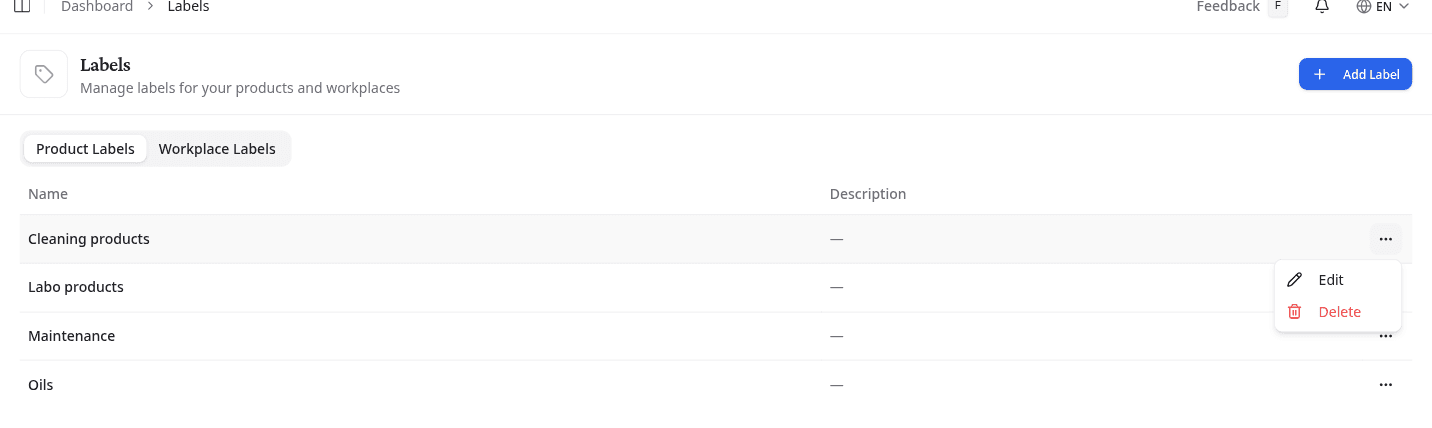
Switch between the two sets
Select Product Labels or Workplace Labels. Each tab lists that set as a table with the label's Name and Description.
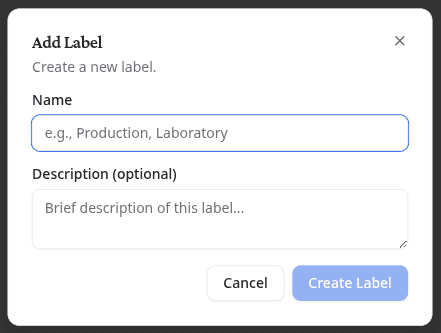
Add a label
- Select the tab for the set you need.
- Select Add Label.
- Enter a Name, and a Description (optional) if the name needs explaining.
- Select Create Label.
Edit or delete a label
Open the options menu on the label's row.
Edit opens the same two fields, this time with Save Changes. Delete asks you to confirm.
Deleting a label removes it from every product or workplace where you have applied it. You cannot undo this action.
Apply a label to a product
Open your library and select Label in the product's Labels column. Search the list, or type a name you do not have yet and create it without leaving the row.
Applied labels then work as a filter in the library, so a label is worth creating as soon as you would want to list the products carrying it.
What to do next
Filter your library on a label to check that it covers what you expected.