Risk assessments at a workplace
Score each chemical with the RECESS method, and review the EMKG control levels recorded against this workplace.
Two assessment tabs sit on every workplace. RECESS scores the risk; EMKG says which control measures that score demands.
Run a RECESS risk assessment
The RECESS Assessment tab calculates a risk score for each chemical using the formula: Risk = Effect × Exposure × Probability.
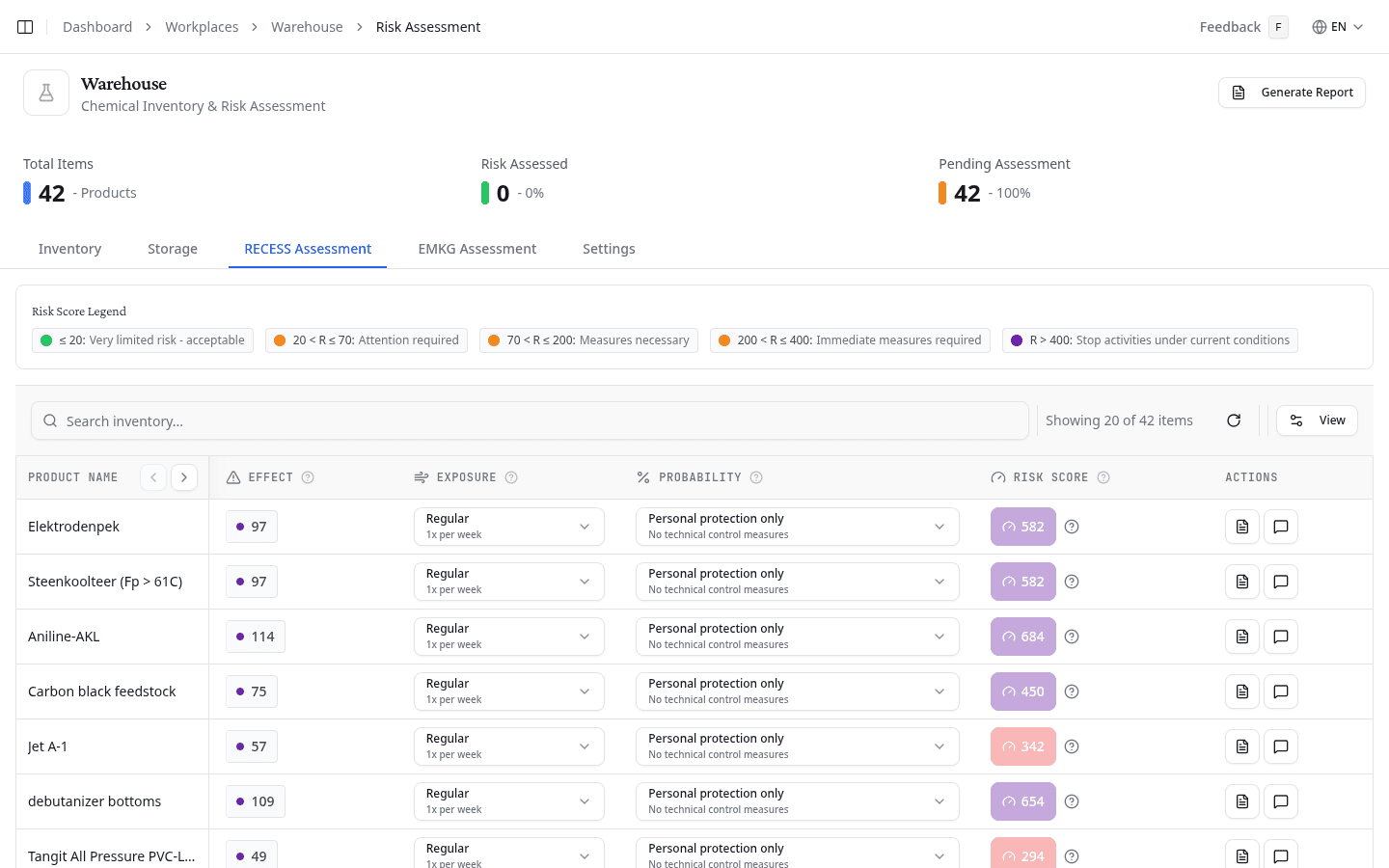
NextSDS automatically determines the Effect score from the product's hazard statements (H-codes). Set the Exposure and Probability values using the selectors in each row to match your workplace conditions. The resulting Risk Score is colour-coded by severity:
| Risk score | Meaning |
|---|---|
| ≤ 20 | Very limited risk, acceptable |
| 20 < R ≤ 70 | Attention required |
| 70 < R ≤ 200 | Measures necessary |
| 200 < R ≤ 400 | Immediate measures required |
| R > 400 | Stop activities under current conditions |
Review EMKG assessments
The EMKG Assessment tab shows the results of EMKG risk assessments saved to this workplace. Each row displays the product name, assessment status, control levels for each exposure route (inhalation, skin, eyes, fire and explosives, storage), and the date assessed.
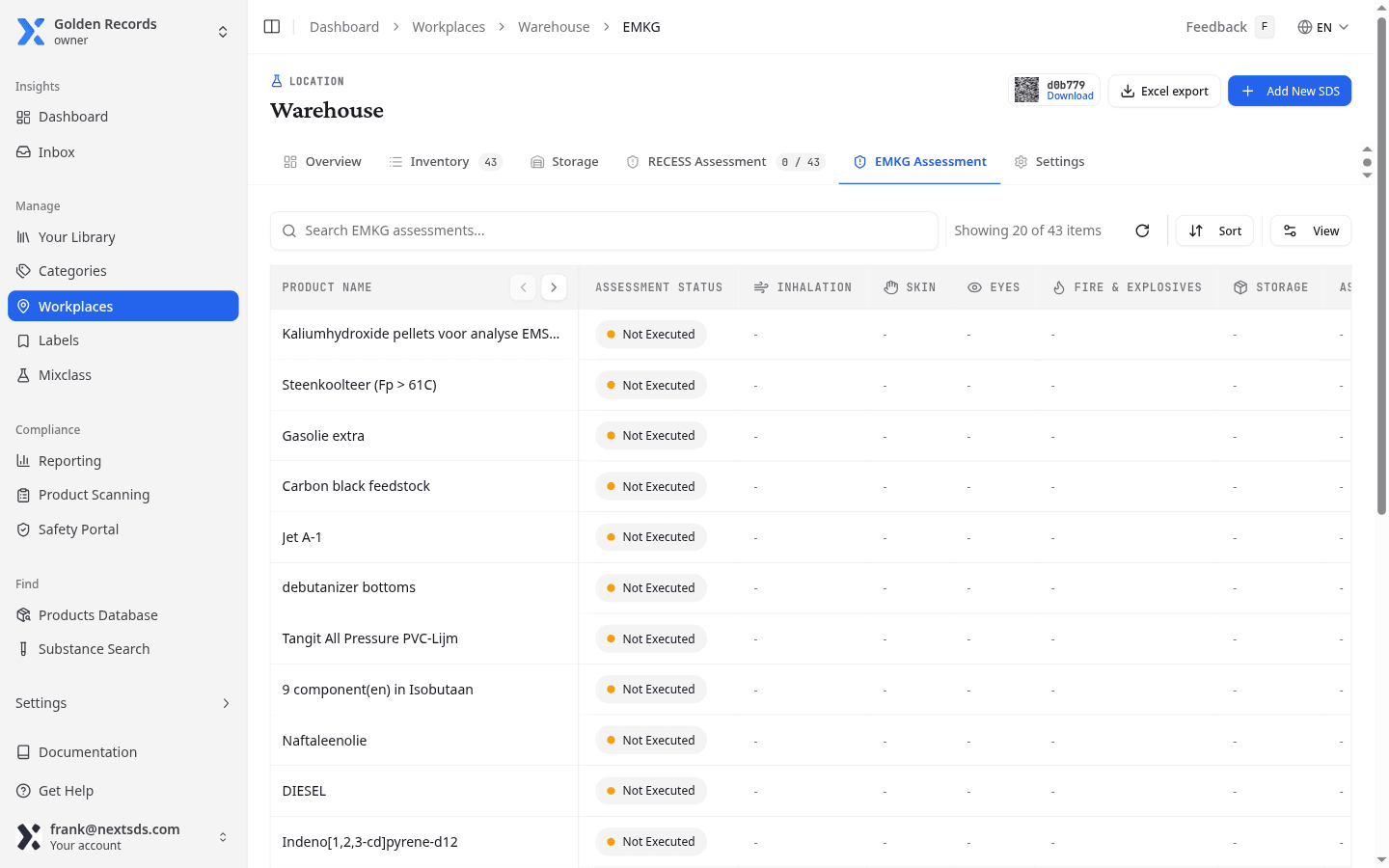
Select Not yet assessed in the toolbar to filter the list to products with no EMKG assessment recorded. This helps you identify which products still need attention.
For products showing Not Executed, select the link icon to open the EMKG wizard for that product.
What to do next
For products with elevated RECESS risk scores, run a detailed EMKG assessment to determine the specific control level required, from basic ventilation up to fully enclosed systems.