Look up substances by identifier or name
Search a database of over 1.2 million substances by CAS number, EC number, or name to check hazard classifications and regulatory listings.
Check whether a substance appears on restricted or priority lists before procurement. The substance database covers over 1.2 million entries with GHS classifications, molecular data, and regulatory list memberships.
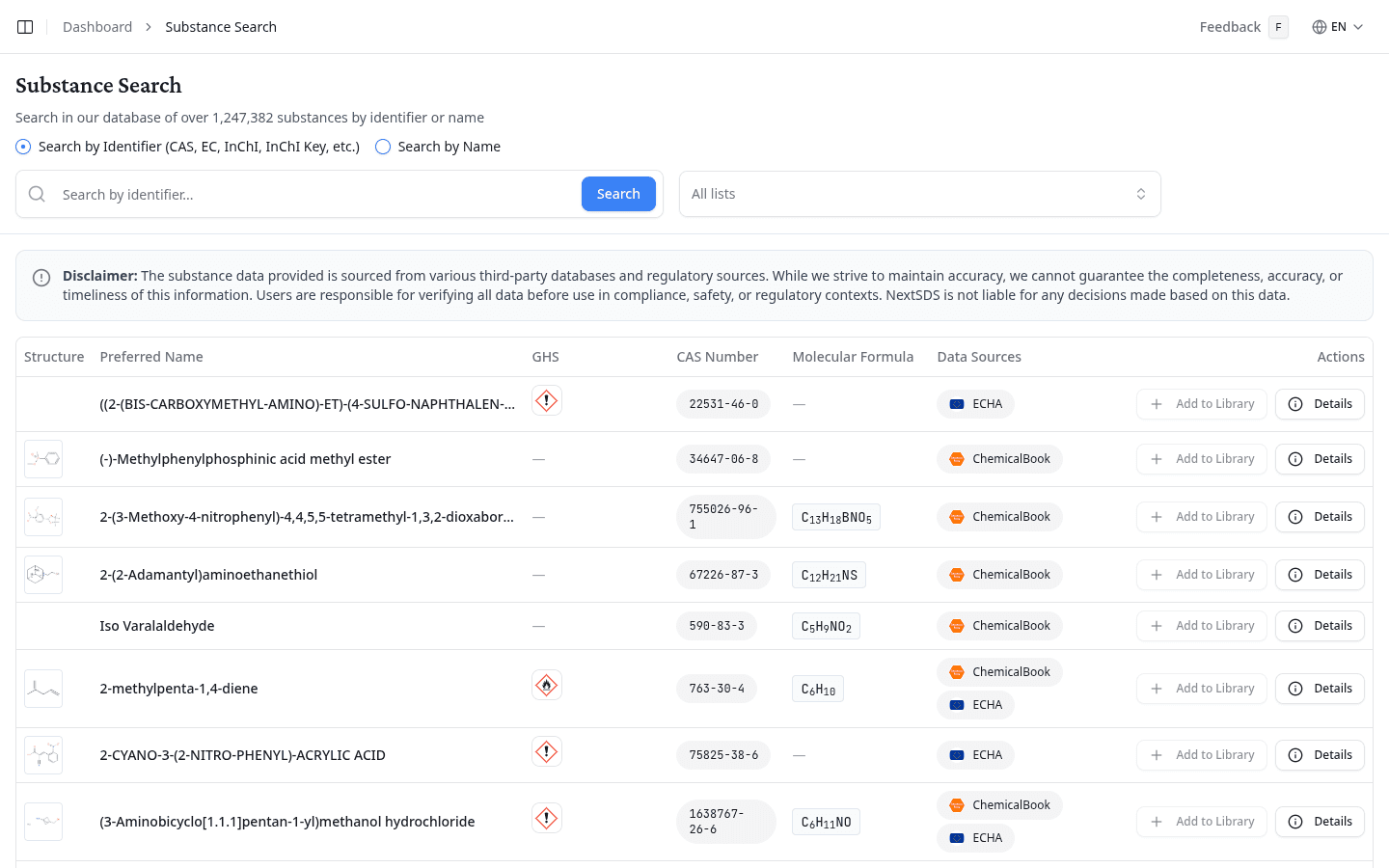
Search by identifier
- Select Search by Identifier (this is the default).
- Enter a CAS number (e.g. 67-64-1), EC number, InChI, or InChI Key.
- Select Search.
Search by name
- Select Search by Name.
- Enter the substance name or a partial name.
- Select Search.
Read the search results
Search results appear in a table with the following columns:
| Column | What it shows |
|---|---|
| Structure | Molecular structure image (where available) |
| Preferred Name | The substance's preferred IUPAC or common name |
| GHS | GHS hazard pictograms |
| CAS | CAS registry number |
| Molecular Formula | Chemical formula |
| Data Sources | Number of external data sources that reference this substance |
| Actions | Details button to open the substance detail panel |
Filter by regulatory list
Select All lists next to the search field and select one or more regulatory or restricted lists to narrow results. For example, select "EU REACH Authorisation List" or "California Proposition 65" to see only substances that appear on those lists.
Review substance details
Select Details on any row to open the substance detail panel. This shows:
- Basic information: preferred name, CAS number, molecular formula, molecular weight, and validation status
- GHS pictograms: the hazard pictograms for this substance
- ECHA classifications: hazard classes, signal words (Danger/Warning), and source information from the European Chemicals Agency
- Identifiers: all known identifiers (CAS, EC, InChI, etc.)
- Group memberships: which regulatory lists the substance appears on
- External data sources: links to the original data providers with confidence scores
Substance data comes from third-party databases and regulatory sources. Always verify the data against your official regulatory references before making compliance decisions.
What to do next
To find a specific product's SDS rather than a substance, use the products database search.