Find safety data sheets in the products database
Search the supplier database by product or supplier name, filter by hazard or market, and import sheets into your team library.
Search matches the product name and the supplier name printed on the sheet. A CAS number typed into the search box returns nothing, so filter by CAS number (component) instead.
Search for a product
- Type at least 3 characters of a product name or a supplier name.
- Select Search or press Enter.
Near spellings match too, so "aceton" also finds "Acetone".
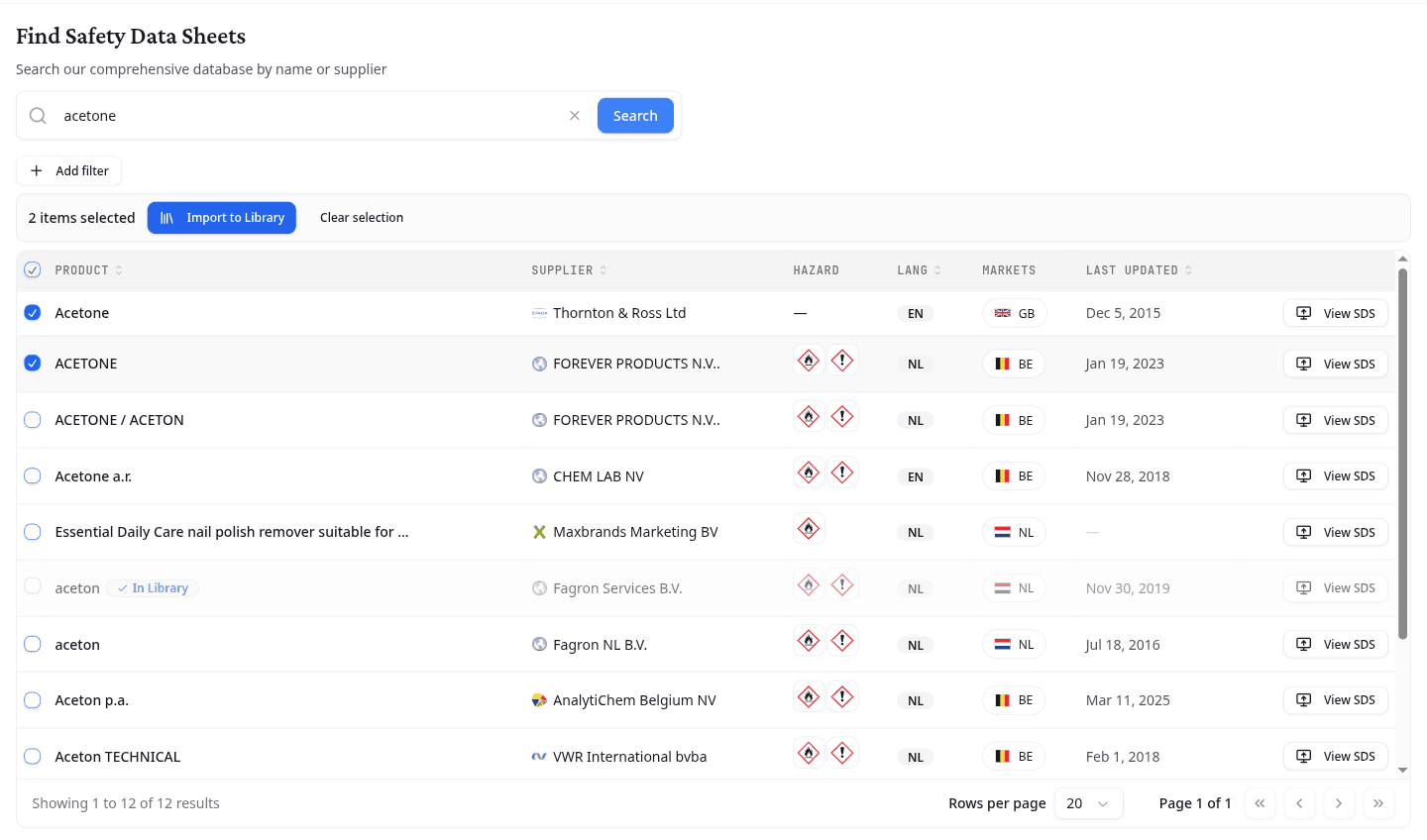
| Column | What it shows |
|---|---|
| Product | The product name on the sheet. In Library marks a sheet your team already holds. |
| Supplier | The first company named in section 1. |
| Hazard | The GHS pictograms from section 2. |
| Lang | The language the sheet is written in. |
| Markets | The countries the sheet was published for. |
| Last Updated | The revision date printed on the sheet. |
Select a column heading to sort by it. Hazard and Markets cannot be sorted.
Narrow the results
Select Add filter, pick a field, choose a value, then select Apply. A filter stays active until you remove it with its ×.
Filters also work on their own. You can list every flammable sheet published for the Belgian market without typing a search term at all.
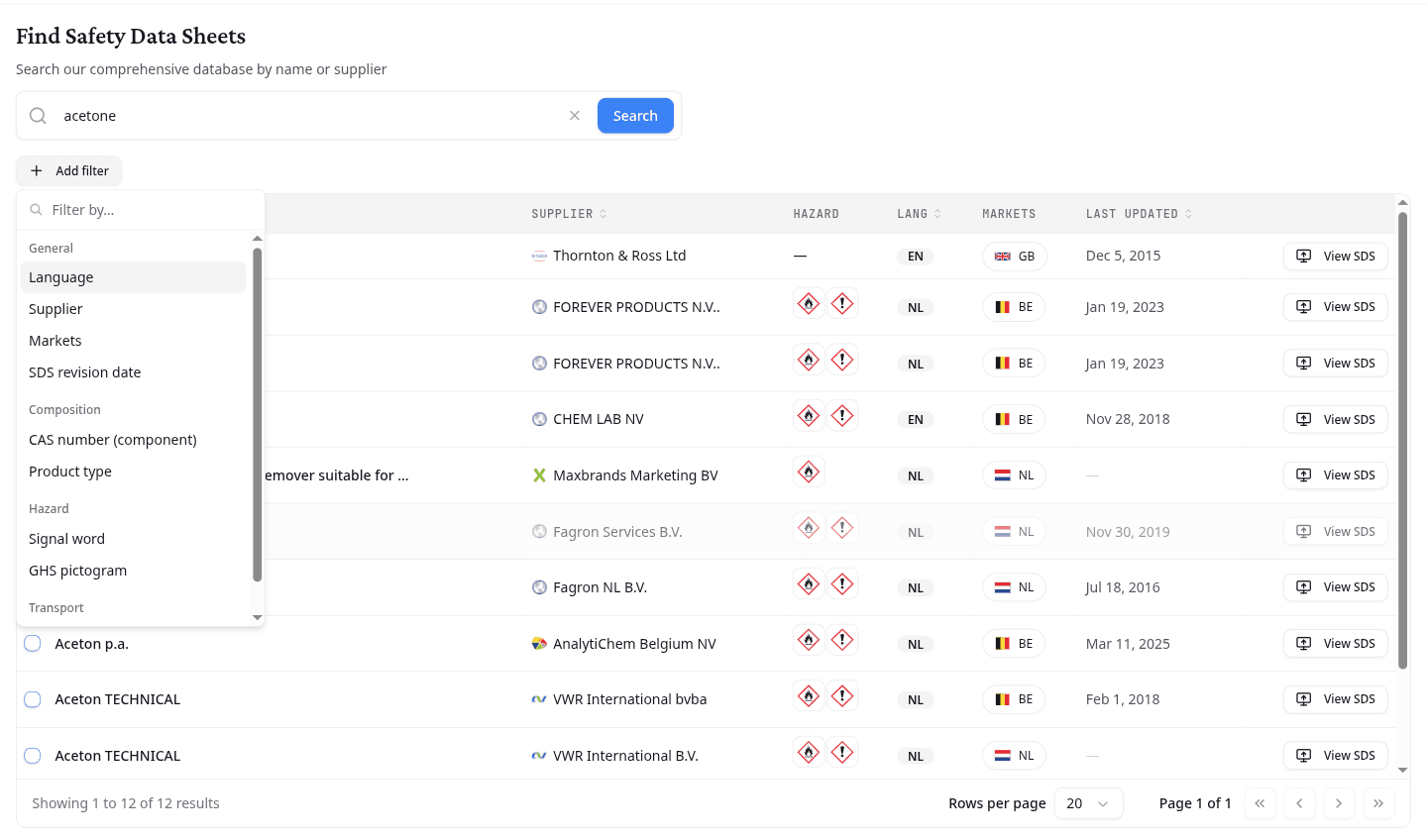
| Group | Fields |
|---|---|
| General | Language, Supplier, Markets, SDS revision date |
| Composition | CAS number (component), Product type |
| Hazard | Signal word, GHS pictogram |
| Transport | UN number |
Product type separates a Substance from a Mixture or a UVCB.
Read a sheet before you import it
Select View SDS on any row. The document opens for reading without leaving your results, so you can check the classification before committing the sheet to your library.
Import sheets into your library
- Select the box on each sheet you want.
- Select Import to Library.
NextSDS begins extracting the hazard data as soon as the import finishes. Clear selection clears every box without importing.
A row marked In Library cannot be selected, because your team already holds that sheet.
What to do next
Open an imported product from your library to check the extracted data and build its safety documents.