Assess workplace risks with the EMKG method
Run a structured risk assessment for inhalation, skin, eye, fire, and storage hazards using the EMKG control banding approach.
The assessment answers one question: what level of control does this product need at this workplace. It reads the hazard data off the SDS and asks you only for what the sheet cannot know, which is how much you use and how you handle it.
EMKG stands for Einfaches Maßnahmenkonzept Gefahrstoffe, the Easy-to-use Workplace Control Scheme for Hazardous Substances, developed by BAuA.
Start an assessment
Open a product from your library, then select Run Risk Assessment (EMKG) in the Manage menu.
The wizard has five stages: Select SDS, Product Classification, Exposure Routes, Risk Assessment and Assessment Results.
Select SDS
Pick which of the product's linked sheets to assess. A product with several variants can be assessed from any of them, and the crown marks the primary.
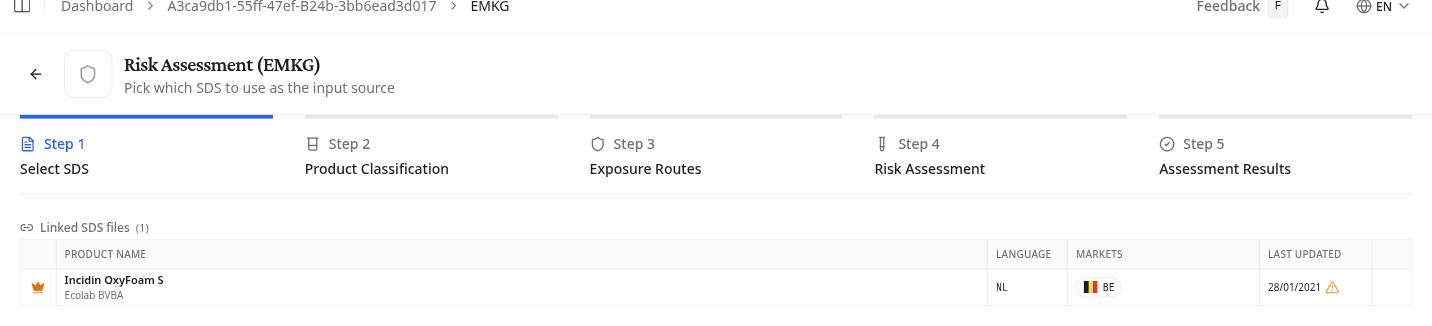
Products with one linked sheet still pass through this stage. Change SDS takes you back to it later.
Product Classification
Confirm whether the product is a Substance or a Mixture, then whether it is Solid or Liquid. NextSDS pre-selects both where the SDS makes it clear.
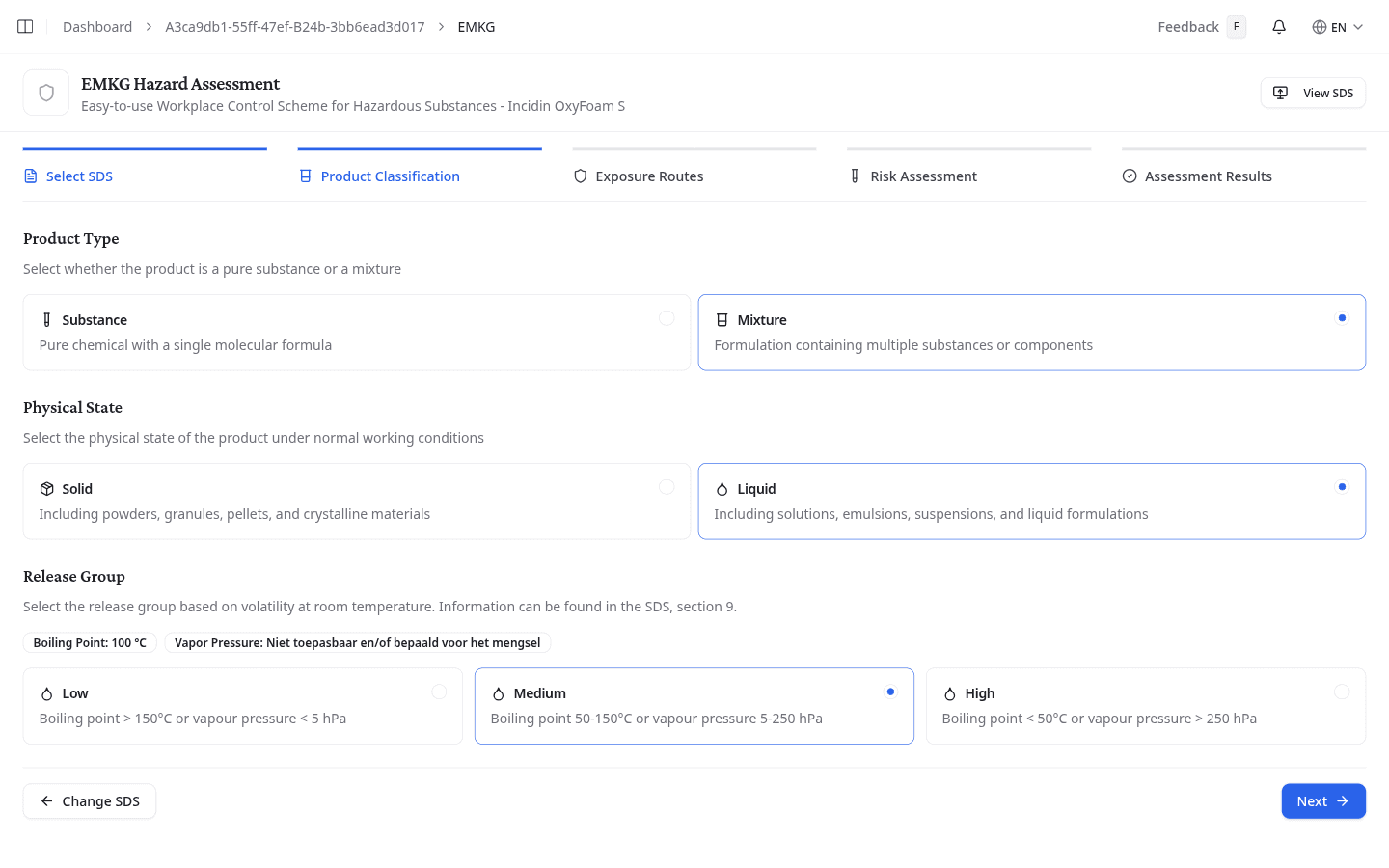
Then choose the Release Group, which measures how readily the product gets into the air. What it asks depends on the physical state:
| Physical state | Release group is based on |
|---|---|
| Liquid | Volatility. Low is a boiling point above 150°C or a vapour pressure under 5 hPa, Medium is 50-150°C or 5-250 hPa, High is under 50°C or over 250 hPa. |
| Solid | Dust formation. Low is coarse-grained material that does not escape, Medium is grainy material whose dust settles, High is a fine powder that stays airborne for minutes. |
The boiling point and vapour pressure read off the SDS appear next to the options.
Exposure Routes
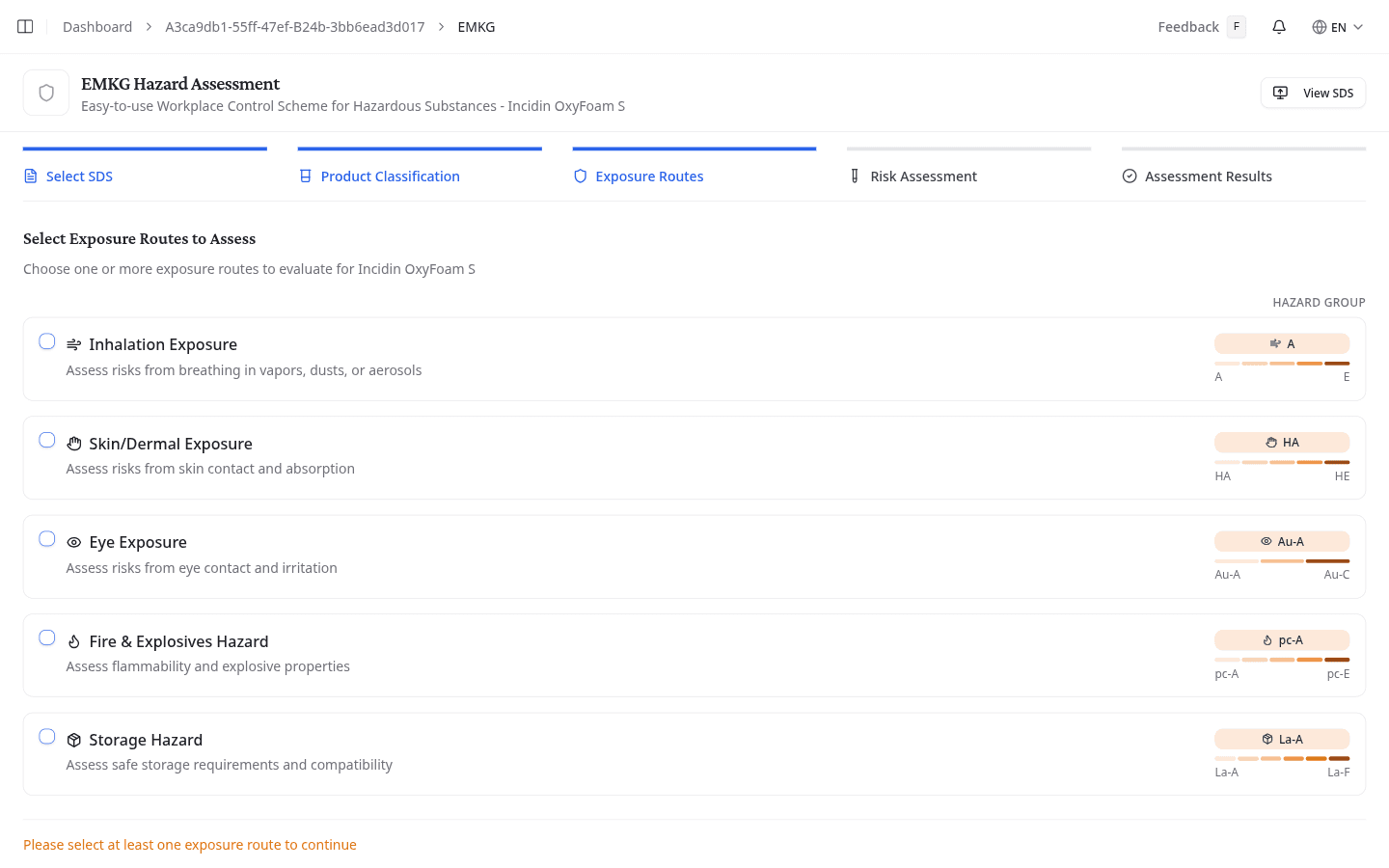
Choose which pathways to assess. Each one shows the product's hazard group on a colour-coded scale, where the first letter is the lowest risk and the last is the highest.
| Route | What it assesses | Groups |
|---|---|---|
| Inhalation Exposure | Breathing in vapours, dusts or aerosols | A to E |
| Skin/Dermal Exposure | Skin contact and absorption | HA to HE |
| Eye Exposure | Eye contact and irritation | Au-A to Au-C |
| Fire & Explosives Hazard | Flammability and explosion risk | pc-A to pc-E |
| Storage Hazard | Hazards during storage | La-A to La-F |
Select at least one route to continue. Only the routes you pick here produce a result.
Risk Assessment
Answer the questions for each route you selected.
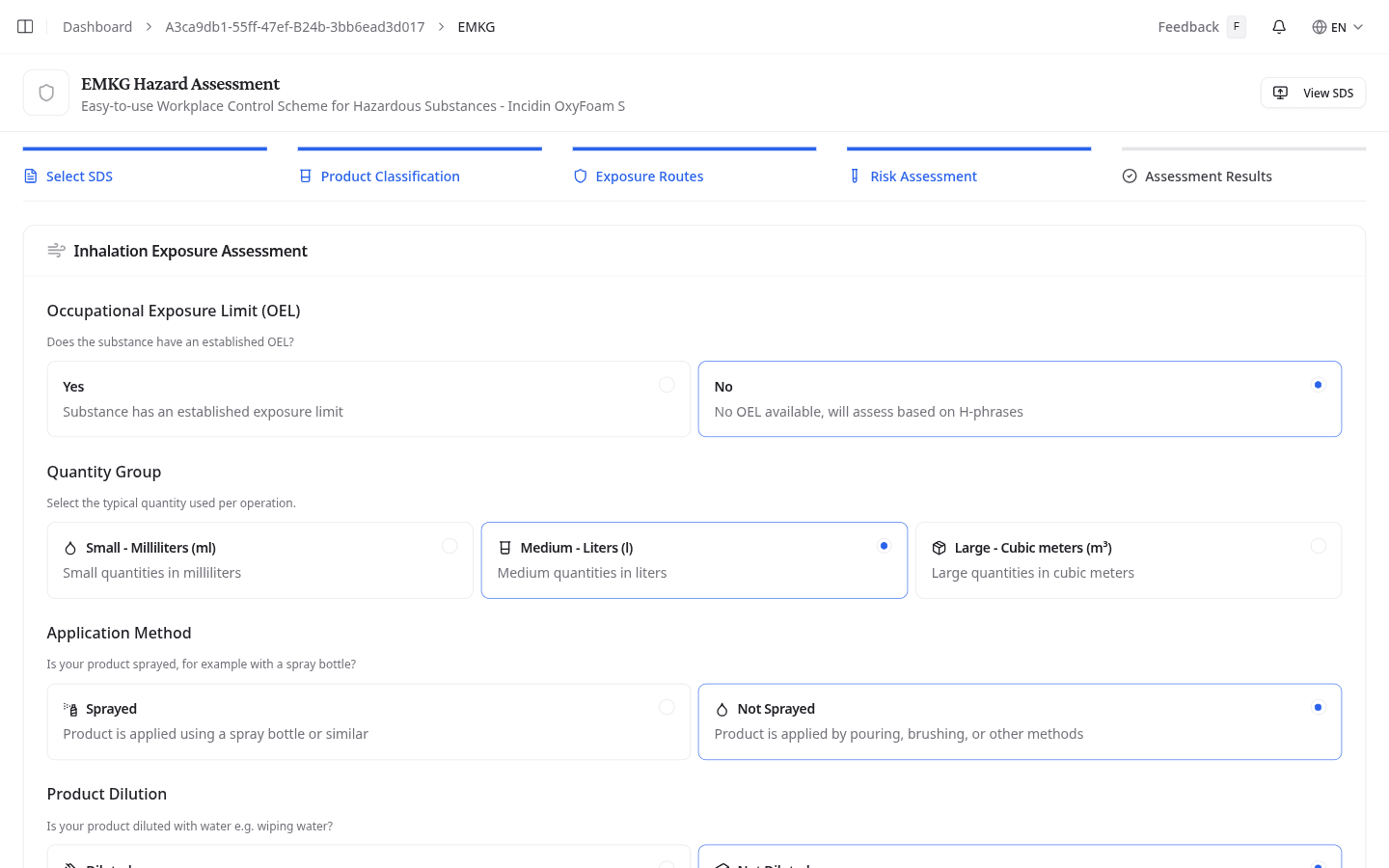
For inhalation, state whether an Occupational Exposure Limit (OEL) exists, because a known limit sets the hazard group directly instead of deriving it from H-phrases. Give the Quantity Group used per operation, in millilitres, litres or cubic metres for a liquid and grams, kilograms or tonnes for a solid. Then the Application Method: spraying forces the release group to high. For a liquid that is not sprayed, Product Dilution with water lowers it.
For skin, give the Effective Area, a few splashes against hands or forearms, and the Duration of Skin Contact, under or over 15 minutes a day. Ignore protective equipment when you answer, and add repeated contact up over the whole day.
Eye Exposure and Fire & Explosives Hazard each ask only for the quantity group, prefilled from your inhalation answer. Storage Hazard asks for the Storage Quantity: under 50 kg, up to 200 kg, up to 1 000 kg, or over 1 000 kg.
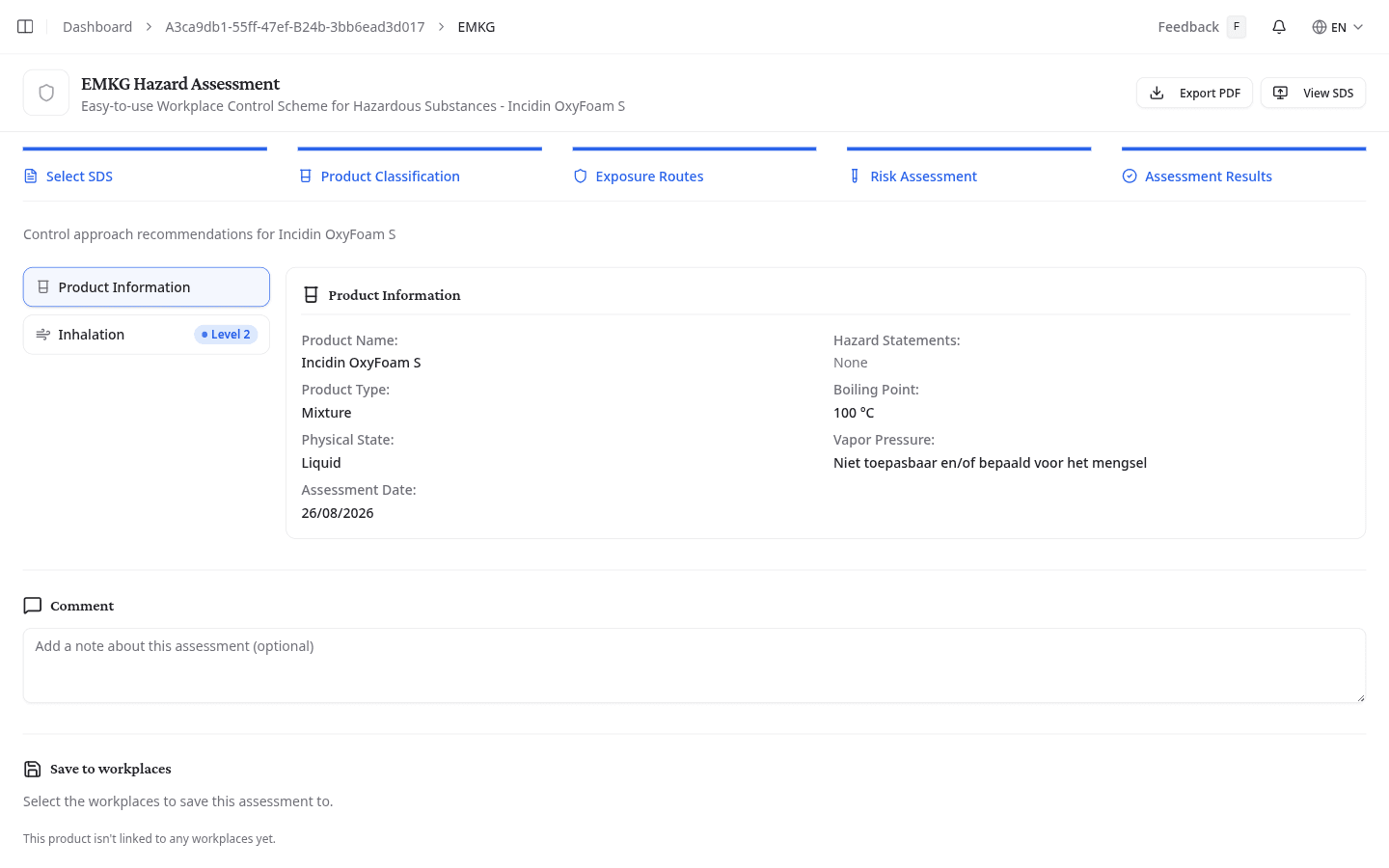
Assessment Results
Each assessed route gets its own control level.
| Control level | What it means |
|---|---|
| Level 1: Minimum | Good hygiene practices, general ventilation, and basic PPE |
| Level 2: Technical | Engineering controls such as local exhaust ventilation, enclosed transfer systems, respiratory protection, and monitoring |
| Level 3: Closed | Fully enclosed systems, automated handling, supplied-air protection, continuous monitoring, and work permits |
| Expert | The assessment exceeds standard control banding. Consult an occupational hygienist or certified specialist |
Product Information repeats what the assessment ran on: product type, physical state, the hazard statements, the boiling point and vapour pressure, and the date. That is the record of which inputs produced this control level.
Save the assessment
Add a Comment if the reasoning needs one, then pick the workplaces under Save to workplaces and select Save Assessment. Saving also adds the product to each chosen workplace's inventory.
A product that belongs to no workplace yet has nothing to select here. Add it to a workplace first, from the product's own Workplaces tab.
Export as PDF
Select Export PDF on the results stage to download the full assessment: every input, the hazard groups, and the control recommendations.
What to do next
For the highest-risk substances, run an ECETOC TRA exposure simulation to model predicted inhalation and dermal exposure against occupational exposure limits. This is particularly useful where you need to demonstrate that exposure stays within limits.