Review messages and tasks in your inbox
Read the SDS files suppliers forward you, the problems colleagues report, and what NextSDS found while processing your documents.
Your inbox shows what needs attention: SDS extraction results, compliance checks, and inventory updates.
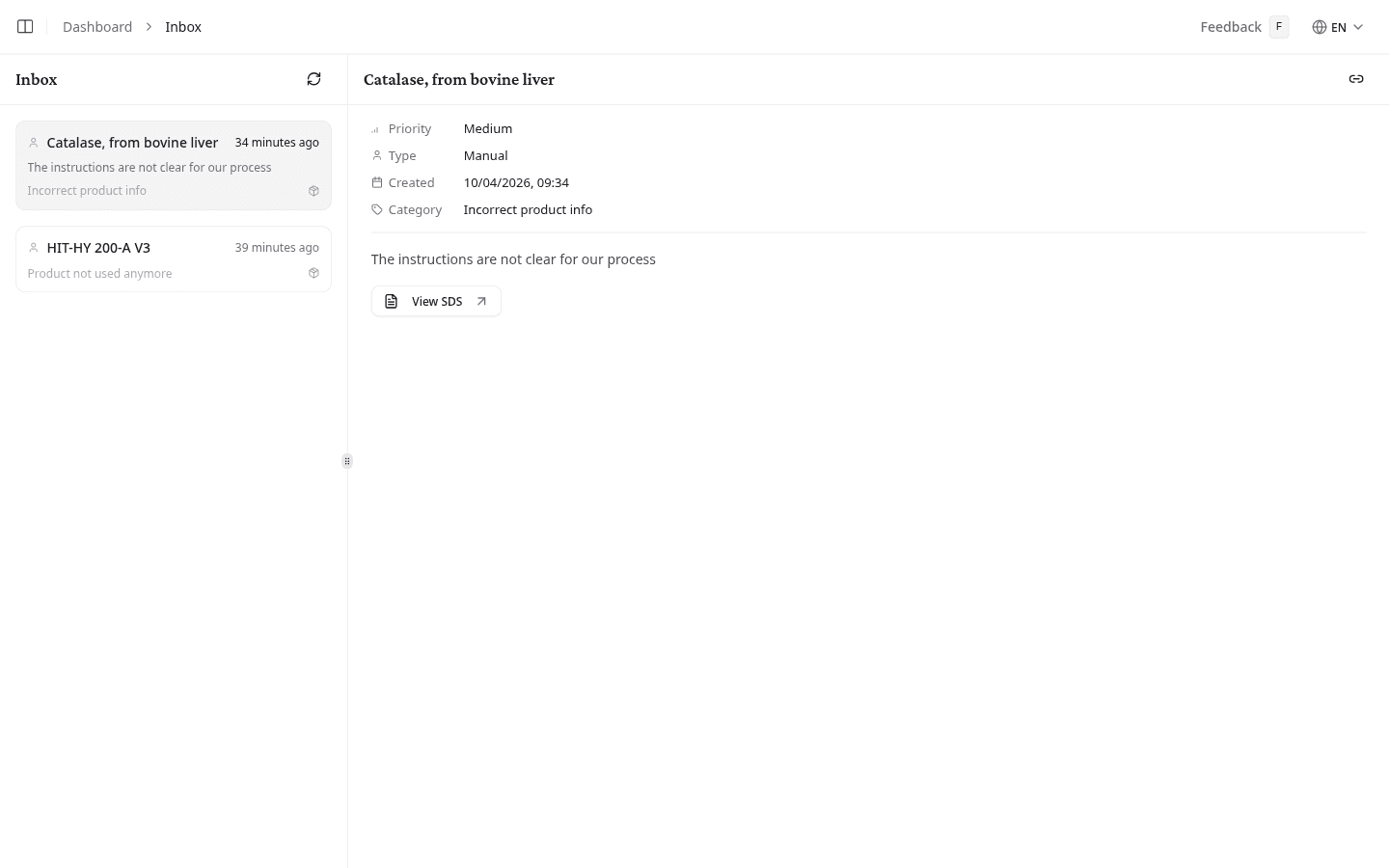
Navigate the inbox
Select a message to open it. Select Refresh to check for new ones.
All shows every message. Beside it, Live means the list updates itself as messages arrive, so you are not looking at a stale view.
Messages are grouped by age under headings such as Today, Yesterday, This week, Last week, This month, Last month, This year and Older, each with the number of messages in that group. Only the groups that have messages appear.
Each message in the list shows:
| Element | What it means |
|---|---|
| Icon | The kind of message, listed below. Forwarded supplier mail and named reports show the sender's initials instead. |
| Subject | A short description of what happened |
| Time | How long ago the message arrived |
| Preview | The first line of the message. For an SDS update it shows the version change, such as current → 2.1. |
A red ! marks a message of high importance.
NextSDS sorts messages into these kinds:
| Kind | What it covers |
|---|---|
| An SDS a supplier forwarded to your team address | |
| SDS update | A newer revision of a document you already hold |
| Processing | A document NextSDS could not read |
| Duplicate | A file that was already in your library |
| Report | A problem a colleague reported |
| Regulatory | A regulatory change that affects products in your library |
| Notification | Anything else |
Review a message
An open message shows its kind, its subject, and the date and time it arrived. Depending on the kind, it also shows:
- Category: the area the message relates to
- To or Email: the contact address involved
- File: the file name, when a document failed to process
- Version and Supplier, when a newer revision is available
- The full text of the message
Take action on a message
Each message offers the actions that apply to it.
- Select View SDS to open the related safety data sheet.
- Select View Product to open the linked product page.
- Select View location to open the linked workplace inventory.
- Select Review to open the documents NextSDS could not read.
- Select Dismiss to close the message out.
A duplicate needs no action. NextSDS links a duplicate file to the SDS you already hold instead of adding a second copy, so the message is there to tell you it happened.
What to do next
Open your library to act on the product a message refers to.