Get started from your dashboard
Access all key areas of NextSDS from a single overview page with quick-access shortcuts.
Select any shortcut card to jump to a key area of the platform.
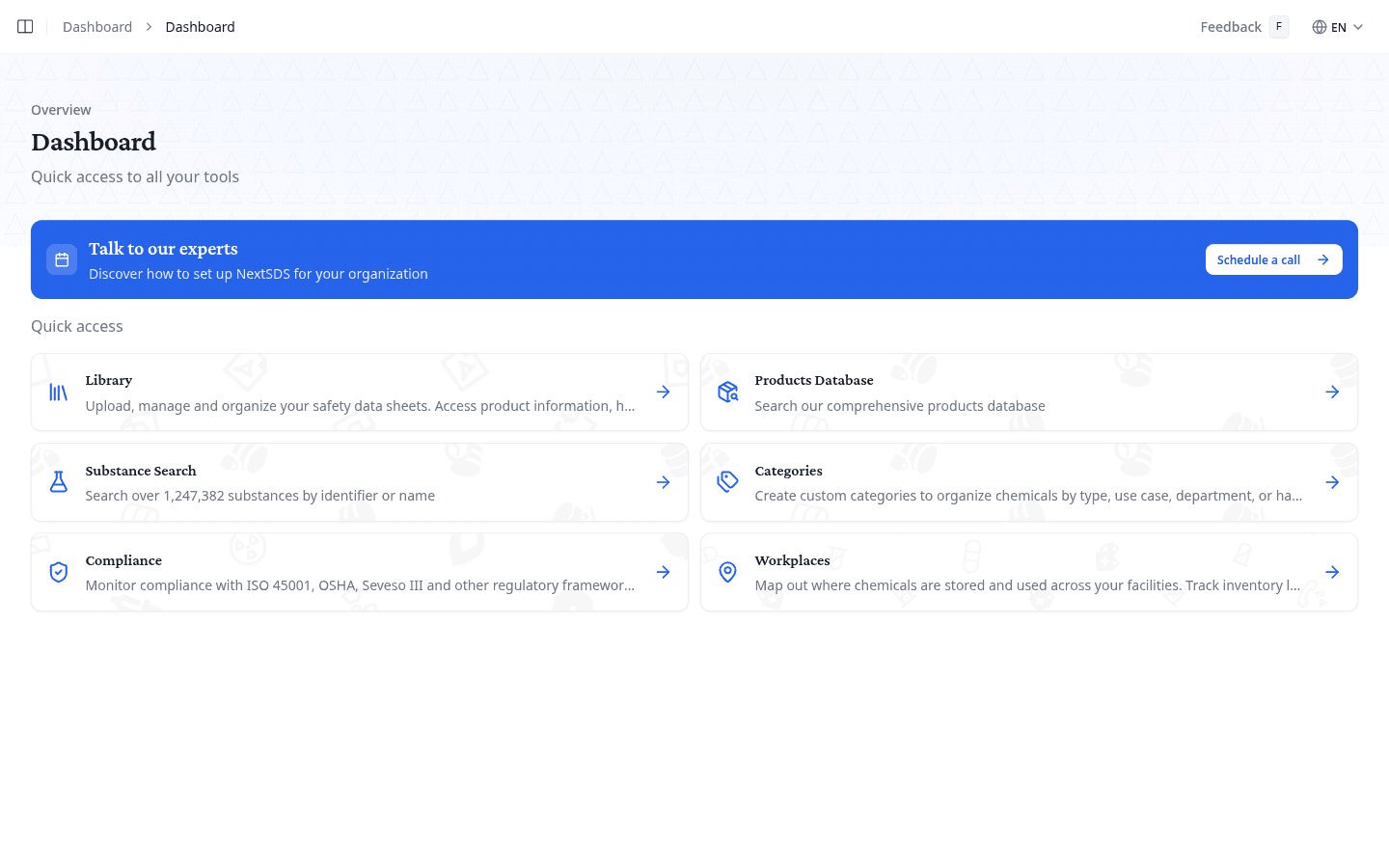
Use the quick-access shortcuts
Each shortcut card links to a key area of the platform. Select a card to navigate there directly.
| Shortcut | What it opens |
|---|---|
| Library | Your SDS library, where you upload, manage, and organise safety data sheets |
| Products Database | The product search across the chemical products database |
| Substance Search | Search by substance across over 1.2 million substances by identifier or name |
| Compliance | Compliance monitoring for ISO 45001, OSHA, Seveso III, and other regulatory frameworks |
| Workplaces | Workplace locations where chemicals are stored and used across your facilities |
Schedule a call with the NextSDS team
Select Schedule a call in the banner to book a session with the NextSDS team.
What to do next
Start by building your product catalogue. Upload SDS documents to your library or search the products database to find existing ones.