Manage a workplace's chemical inventory
Track chemicals at a specific workplace, review dangerous goods classifications, and run risk assessments to support compliance and audit readiness.
Each workplace opens on the Overview tab. From there you can check readiness at a glance and navigate to the inventory, storage, or assessment tabs.
Check the overview
The Overview tab shows three key numbers:
- Products on site: total number of chemicals in the inventory
- Risk Assessed: how many have a completed RECESS assessment, with a progress bar
- Pending Assessment: how many still need a RECESS assessment
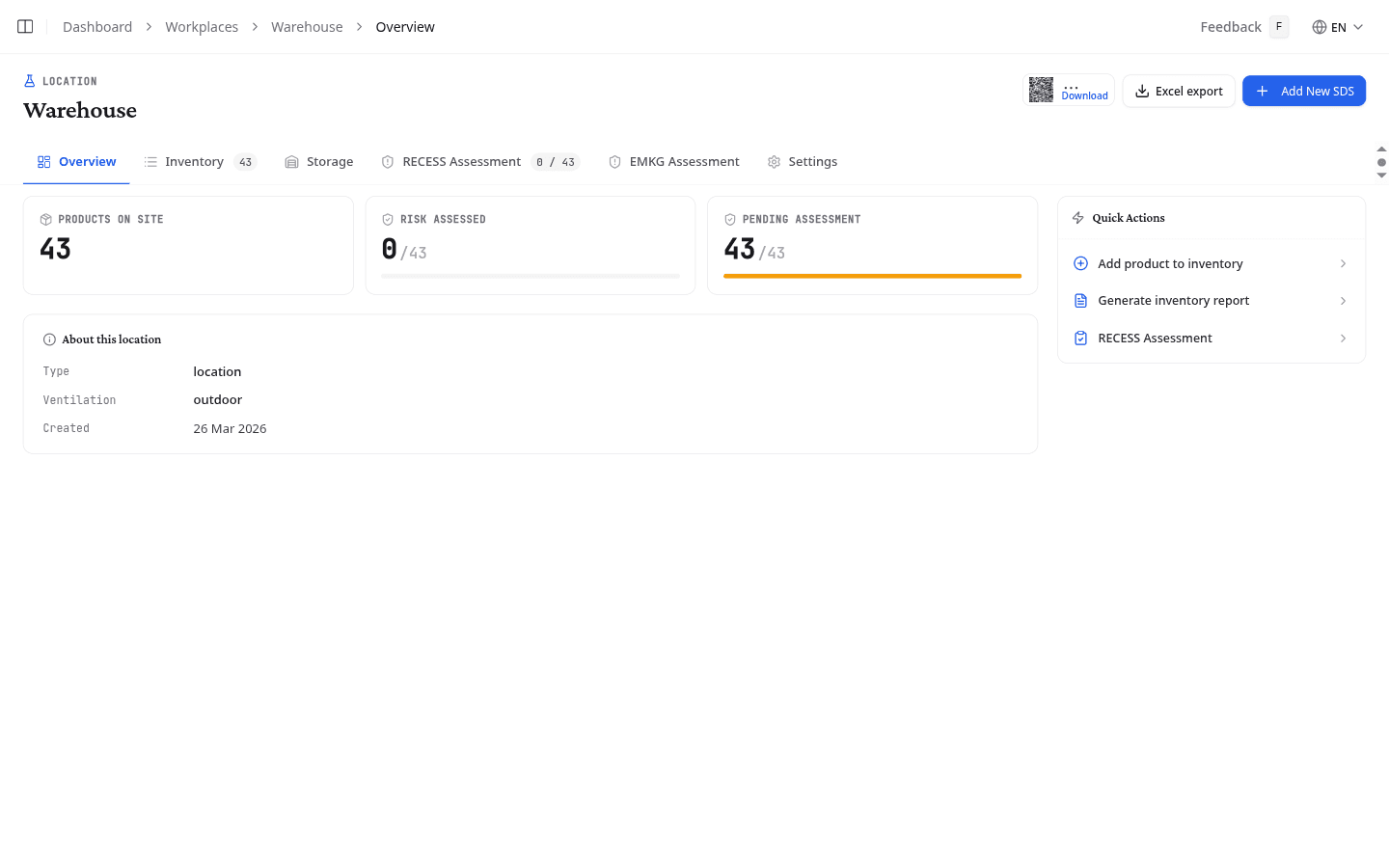
The Quick Actions panel gives direct links to add a product, generate an inventory report, or go to the RECESS Assessment tab. The About this location panel shows the type, description, process category, ventilation level, and creation date.
Add products to the inventory
Select Add product to add chemicals to this workplace. The same three tabs as on the library page apply, and whatever you add here lands in this workplace straight away. On this page Search looks in your own library, since a product you are placing in a workplace is usually already in it.
Track your chemical inventory
The Inventory tab lists every product assigned to the workplace with key safety data at a glance.
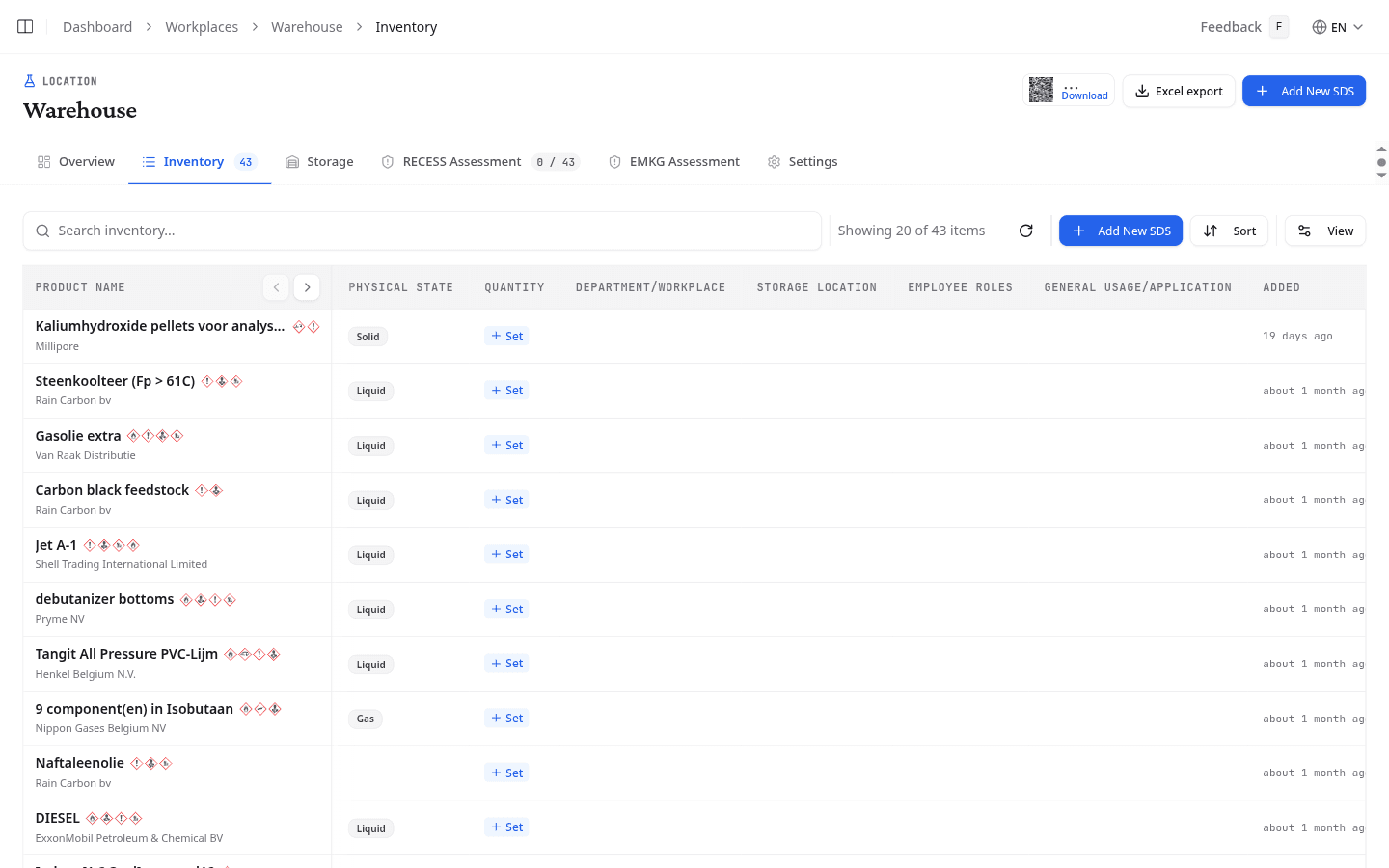
| Column | What it shows |
|---|---|
| Product name | The product's name from the SDS |
| Physical State | Liquid, solid, gas, or aerosol |
| Quantity | Amount stored at this workplace. Select Set to record the volume, unit, and number of containers |
| Department | The department or sub-area where this product is used |
| Storage Location | Where the product is physically stored |
| Employee Roles | Roles or personnel who work with this product |
| General Usage | A brief description of how the product is used |
| Added | When the product was added to the inventory |
Select any row to expand it and view full product and inventory details including storage location, department, employees, usage description, and dates. Use the Edit and Remove buttons on each row to update inventory details or remove a product from the workplace.
Review storage data
The Storage tab lists every chemical with its dangerous goods classification, permit requirements, density, and recorded quantity.
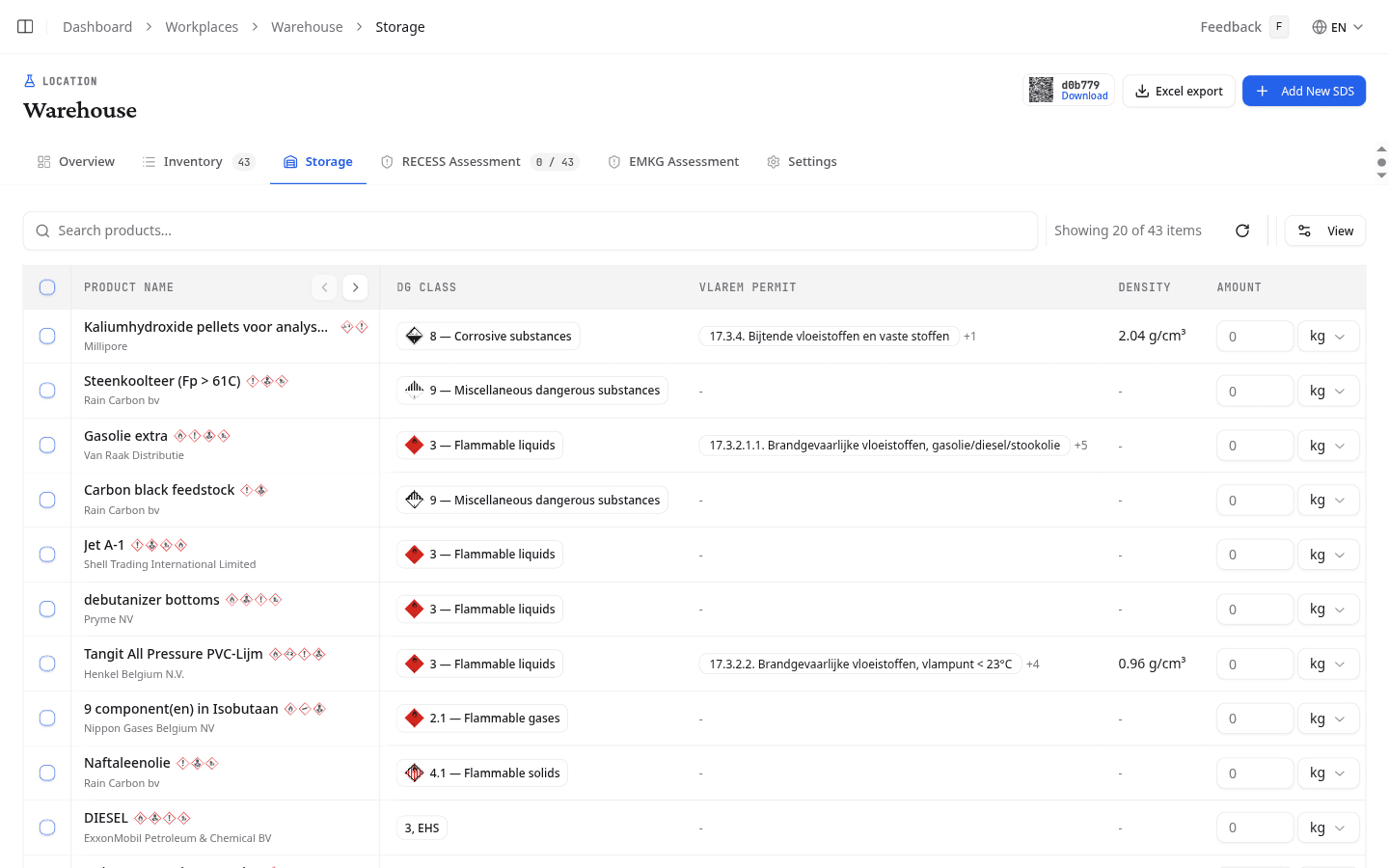
| Column | What it shows |
|---|---|
| DG Class | The ADR transport class with a hazard diamond icon. For example, Class 3 (Flammable liquids) |
| VLAREM Permit | The applicable VLAREM storage permit category for Belgian environmental regulations |
| Density | Physical density from the SDS (Section 9), where available |
| Amount | Recorded quantity. Edit inline: type a value, select a unit (kg, L, lbs), and enter the number of containers |
Generate an inventory report
Select Generate inventory report in the Quick Actions panel, or select Excel export in the page header, to open the inventory report generator pre-filtered to the current workplace.
What to do next
Score each chemical's risk at this workplace with a RECESS or EMKG assessment.