Share your SDS catalog with customers through a distribution portal
Give customers and distributors a searchable public portal to find and download your safety data sheets by product, language, or target market.
The SDS distribution portal is a public search interface you can share with customers and distributors. Visitors search your product catalog by name, supplier, code, SKU, or EAN. They can filter by SDS language or target market and download the relevant document.
Enable the distribution portal
The distribution portal uses the same public access setting as your workplace safety portal. Enable Public Access in the safety portal settings to make both portals available.
To limit access by network, add allowed IP addresses to the IP whitelist in the safety portal settings. Visitors from other addresses will see an access denied page with their IP address shown for reference.
Find and share the portal URL
Open Safety Portal and select the Share your portal tab. Your portal URL is shown in the Portal URL field. The long identifier at the end is your team ID.
Replace /team/ with /distribution/ in that URL to get your distribution portal address. Share this address with your customers, distributors, or regulatory contacts by email or embed it in your website.
What customers see
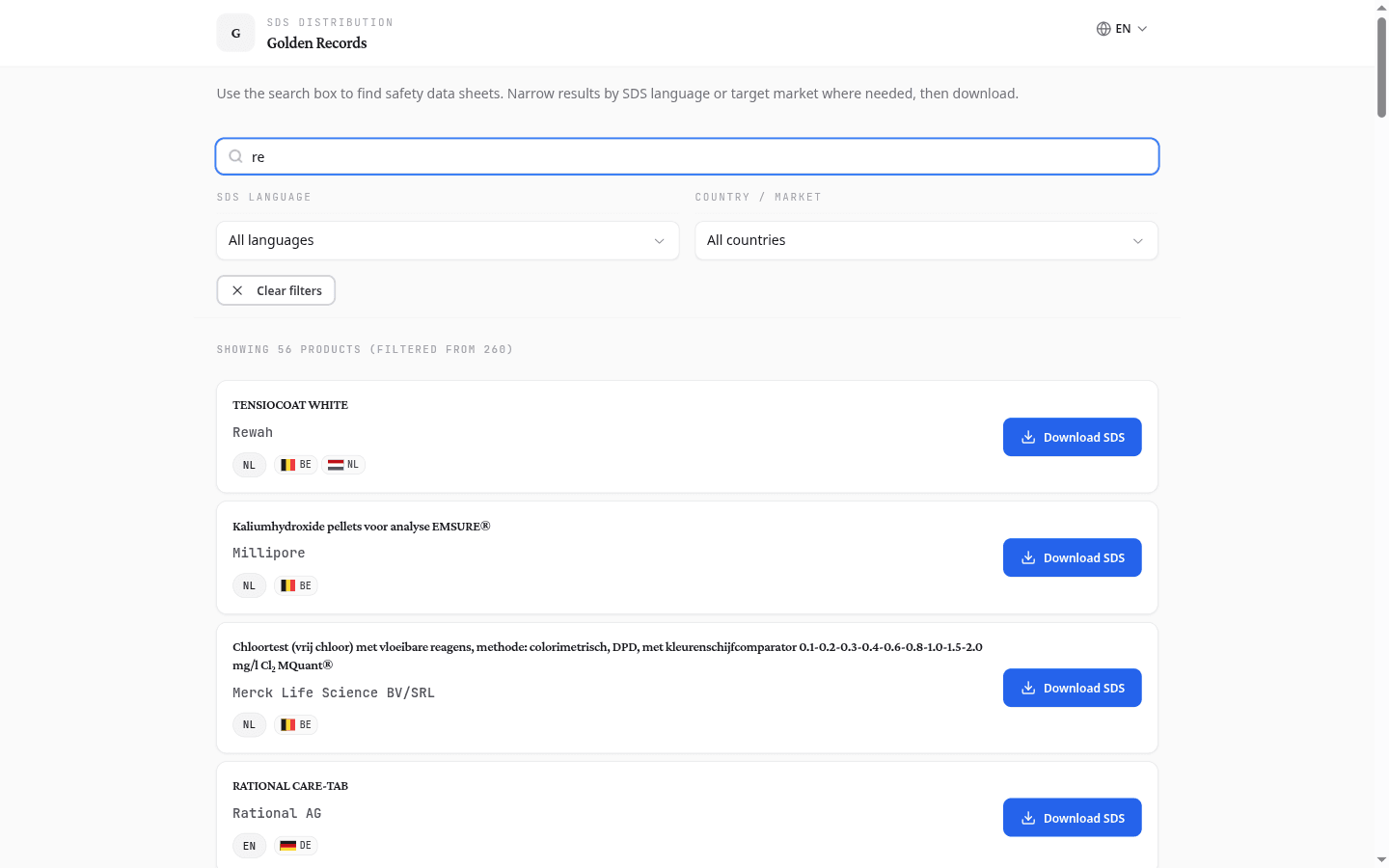
When a visitor opens the distribution portal, they see your organisation name and logo. A search box and two filter dropdowns let them narrow the product list:
- Search: enter a product name, supplier name, product code, SKU, EAN, or SDS identifier. At least two characters are needed to trigger a search.
- SDS language: filter results to a specific document language (English, Dutch, French, German, and more)
- Country / market: filter to documents registered for a specific target market (ISO country codes such as BE, NL, DE, FR)
Each result shows the product name, supplier, the SDS document language badge, and target market flags. Select Download SDS to save the document.
What to do next
Once the distribution portal is live, share the URL with your customers and distributors. To configure employee-facing safety information separately, open the workplace safety portal.