VLAREM permits and permitted situation
Record each environmental permit you hold, then compare what you store against what it allows.
VLAREM adds three Dutch-language tabs to the standard framework layout: Vergunningen (permits), Vergunde toestand (permitted situation) and Opslag (storage). The first two are covered here.
Vergunningen and Vergunde toestand exist only for the VLAREM framework, and their labels stay in Dutch in every language.
Record your VLAREM permits
Start on Vergunningen. A permit here stands for one real environmental permit, so create one per permit document you hold.
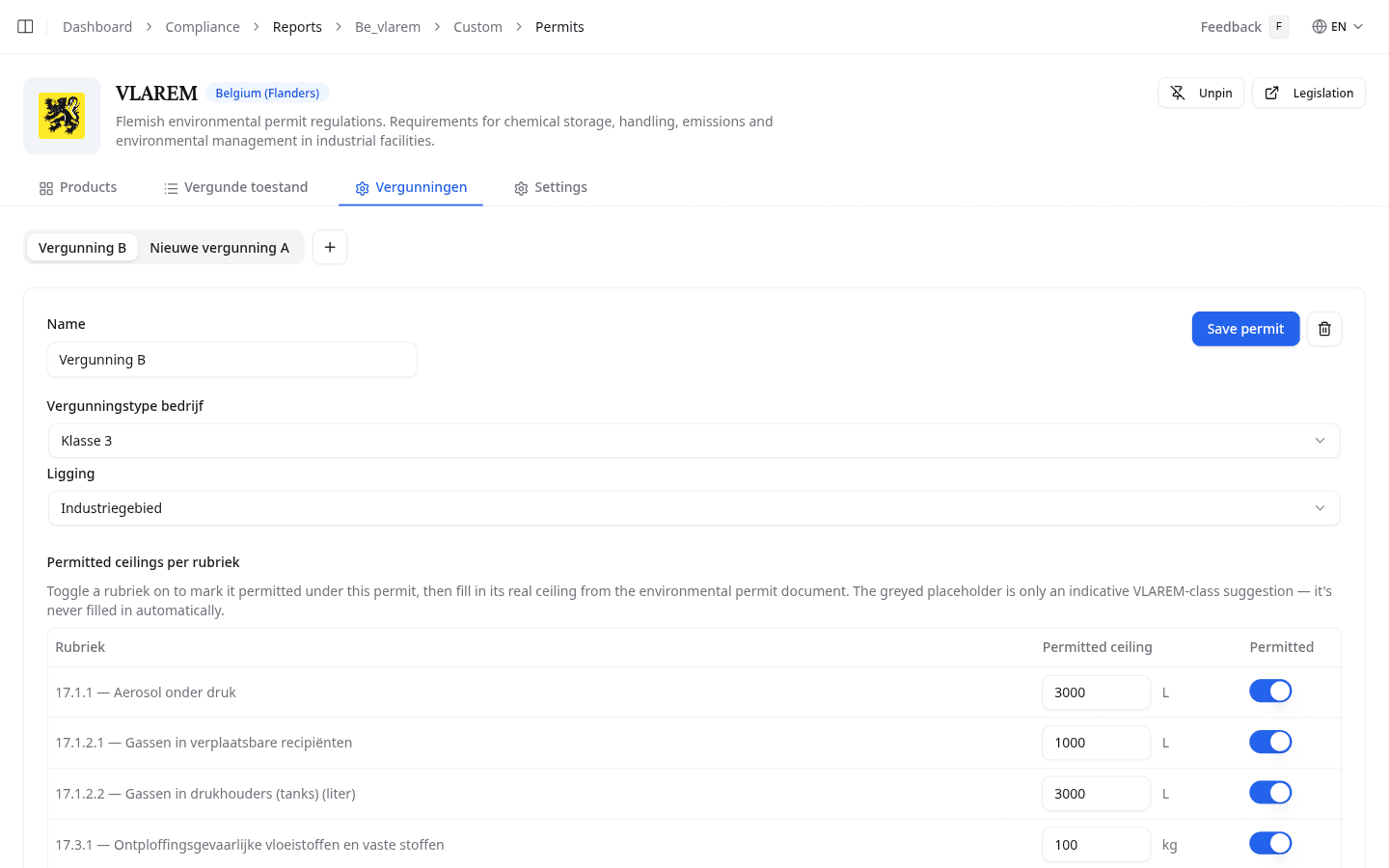
- Select + to create a permit, then give it a Name.
- Set Vergunningstype bedrijf: Niet vergunningsplichtig, Klasse 3, Klasse 2, or Klasse 1. For Klasse 1, a Seveso-indeling field appears.
- Set Ligging: Industriegebied or Niet-industriegebied.
- Under Permitted ceilings per rubriek, turn on every rubriek this permit covers. Type the real ceiling from your permit document.
- Select the workplaces this permit covers.
- Select Save permit.
The greyed number in a ceiling field is only an indicative suggestion for your VLAREM class. NextSDS never fills it in for you. Always copy the figure from your permit document.
Check your permitted situation
Vergunde toestand compares what you store against what each permit allows. Use the permit selector to switch between your permits.
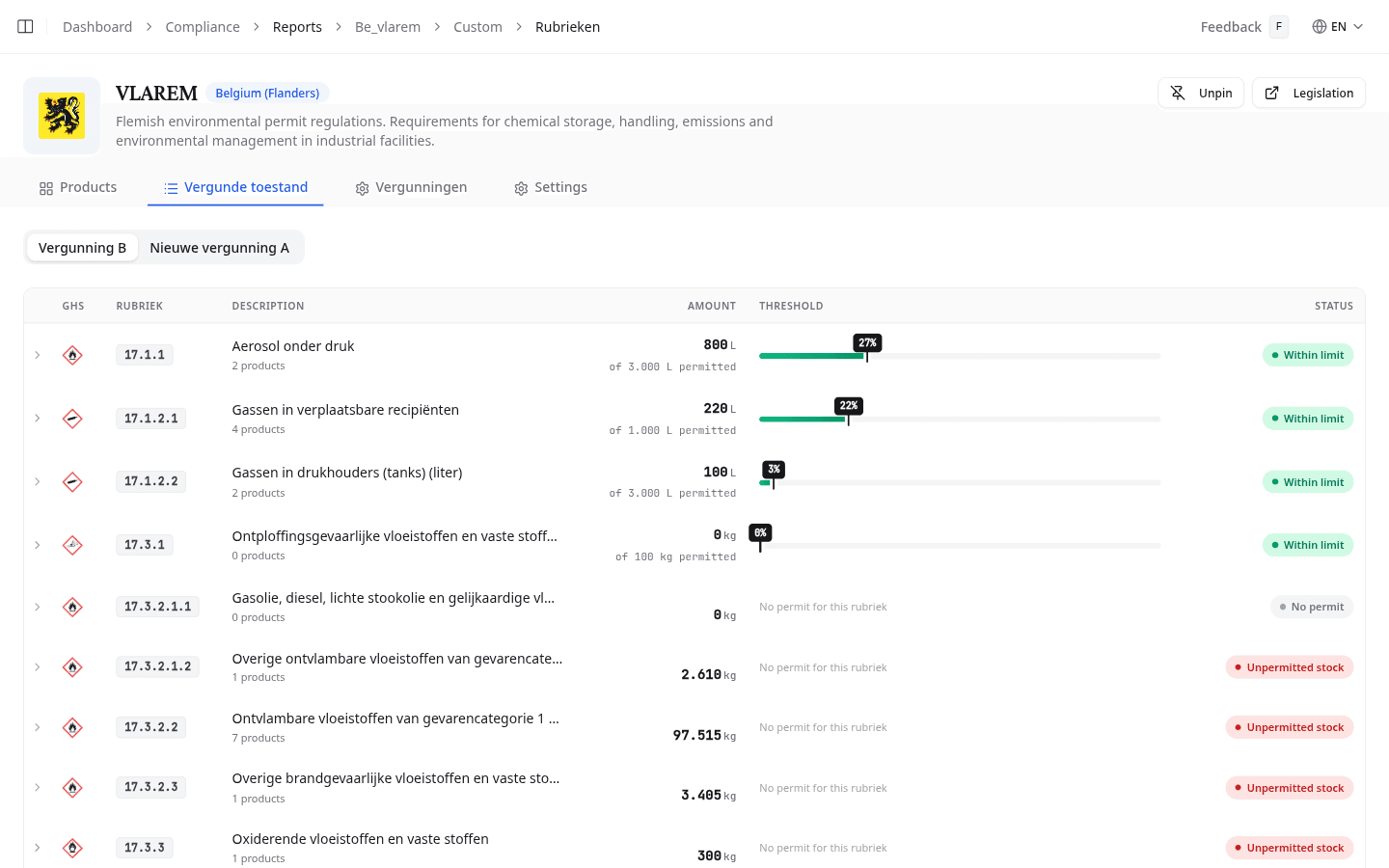
Each row is one rubriek, with its GHS pictogram, description, total stored amount, and a bar against the permitted ceiling.
| Status | Meaning |
|---|---|
| Within limit | The stored amount stays under the permitted ceiling |
| Percentage of limit | The stored amount approaches the ceiling |
| Exceeded | The stored amount is over the permitted ceiling |
| Unpermitted stock | You store products in a rubriek this permit does not cover |
| No permit | The rubriek is not covered, and you store nothing in it |
| No threshold | No ceiling applies yet |
Expand a row to see which products and workplaces make up the total. Rubrieken measured in kilograms show the raw total, the density used, and the calculated total. Every conversion is therefore traceable. An amount in the wrong unit is flagged and left out of the total.
The fallback density used for a litre to kilogram conversion is a team setting. See Framework settings and controls.
What to do next
Find out which products drive a rubriek total on the VLAREM Products tab.