Manage regulatory lists
Choose which substance regulatory lists apply to your team, and add custom ones.
Regulatory lists control which substance restrictions NextSDS checks against, such as REACH SVHC or California Prop 65. Global defaults apply to every team.
Open regulatory lists
Open Settings > Regulatory lists in the sidebar.
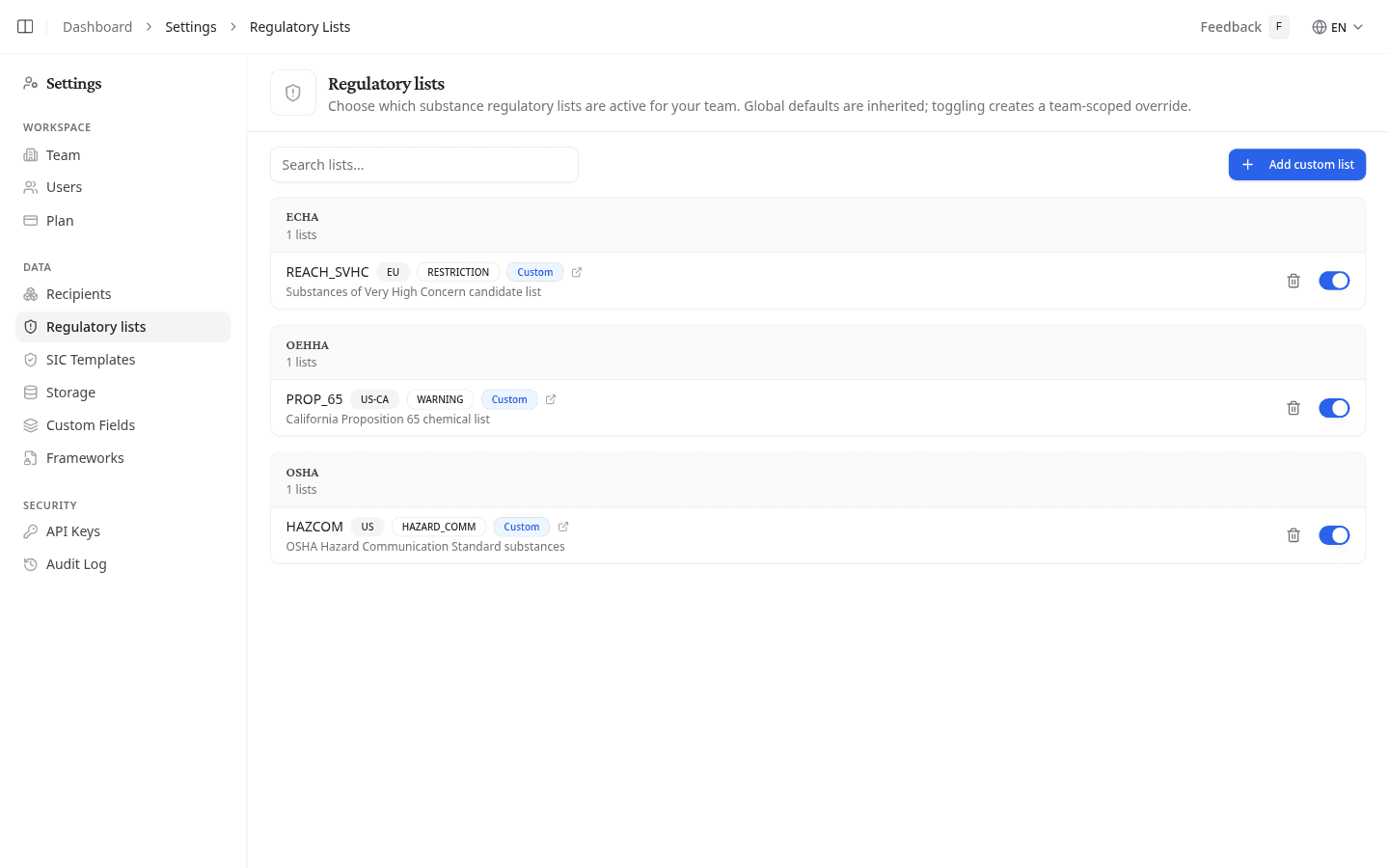
Turn a list on or off
Select the switch on a list to enable or disable it for your team.
When you disable a global list, it gets an Overridden badge. Other teams keep the original setting.
Add a custom list
- Select Add custom list.
- Enter a Framework (for example ECHA, EPA, or OSHA) and a List name (for example REACH_SVHC).
- Optionally enter a Region, List type, Description, and Source URL.
- Select Add.
Custom lists show a Custom badge. Select the trash icon to delete one. Global lists, and your team's overrides of them, have no delete option; toggle them off instead.
Find a specific list
Use the search box to filter lists by framework, name, region, or description.
What to do next
Regulatory lists feed the substance checks used across your library and in compliance reports. Review them after your team starts tracking a new framework.