VLAREM storage separation
Check which products may stand next to each other, and how far apart the rest must be kept.
Opslag answers one question: may these products stand next to each other. NextSDS reads each product's pictograms, places it in a VLAREM storage class, and compares that class against every other class present in your library.
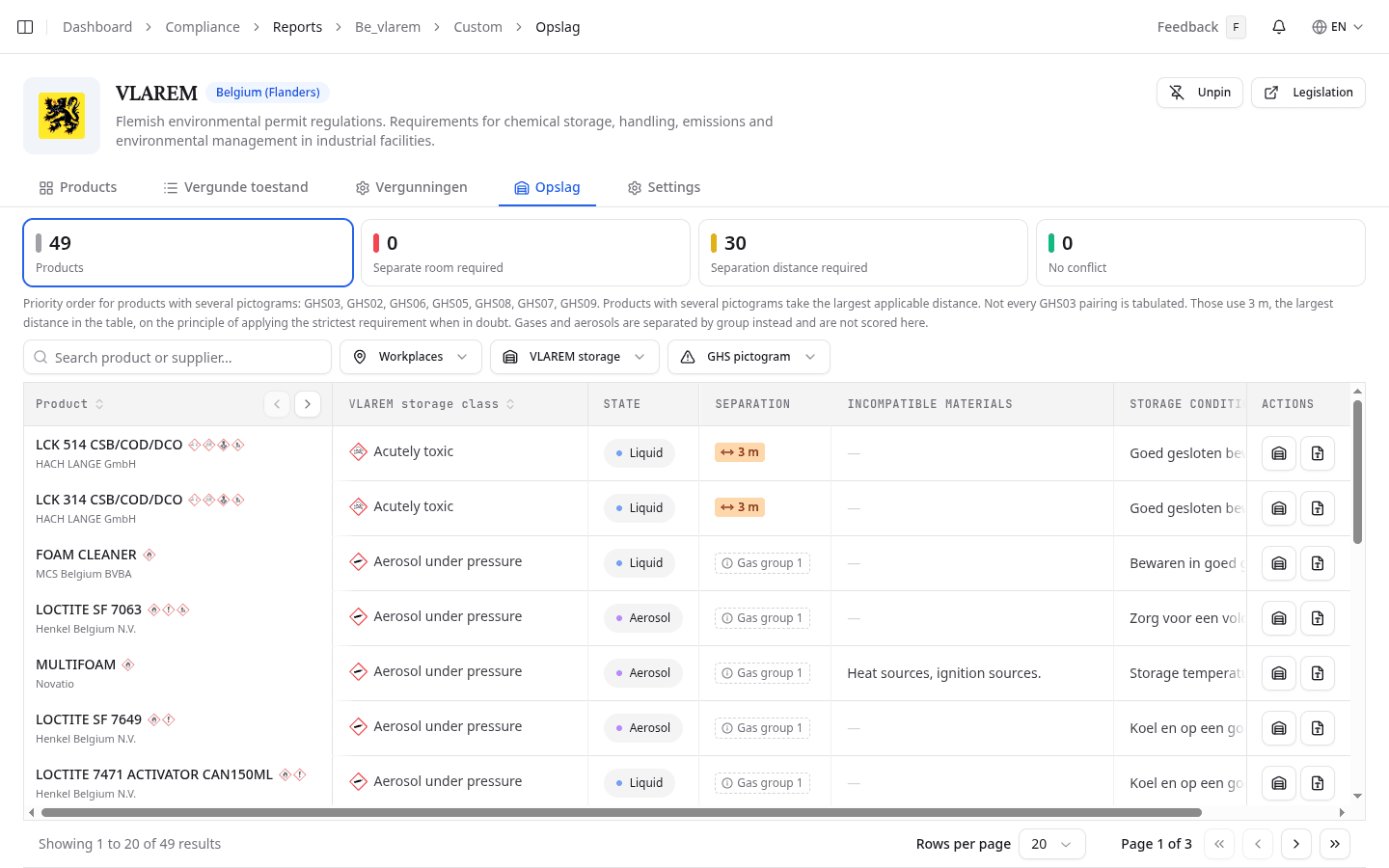
Four counts lead the tab. Products is everything classified in scope. Separate room required counts explosives, which never share a compartment with anything. Separation distance required counts products that need metres between them and something else you store. No conflict counts products that may stand beside everything else present. Select a card to filter the table to those products.
The table then shows each product's VLAREM storage class, State, Separation, Incompatible materials and Storage conditions. Narrow it with Workplaces, VLAREM storage or GHS pictogram.
Find what one product must stand away from
Point at the distance in a product's Separation column. Keep apart from lists every class in your library that this product must be separated from, grouped by the distance VLAREM requires:
- Show everything that needs separating filters to all of them at once.
- A band such as 3 m or more filters cumulatively, which is the set that has to fall outside a 3 metre zone.
- A single class filters to that class alone. The count beside it is exact.
- Together means they may share a compartment, so there is nothing to filter.
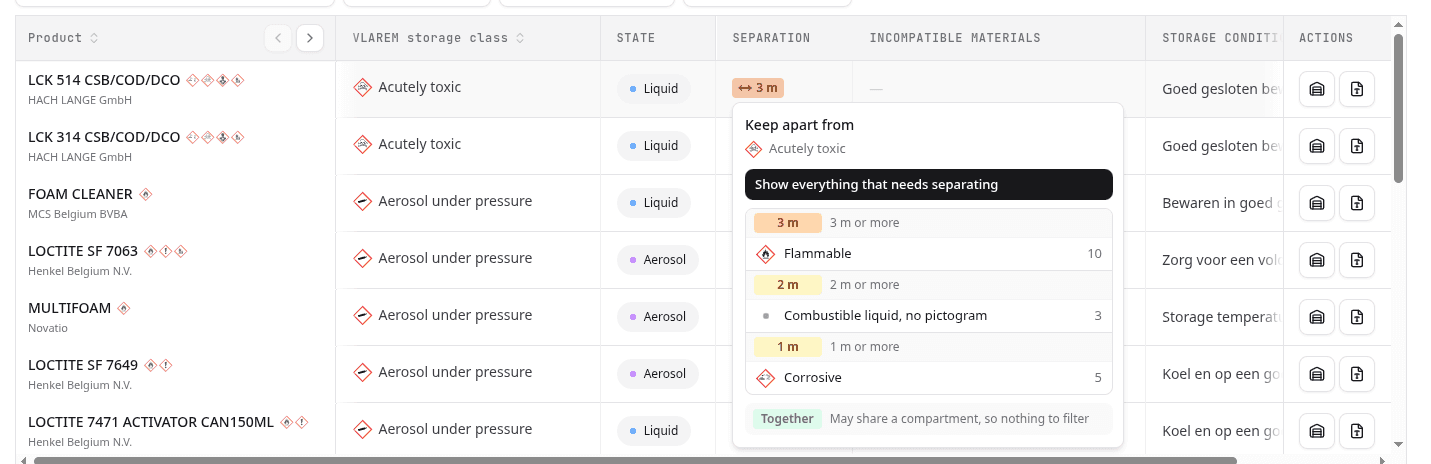
The banner then states the filter in words. Clear filter returns the full table.
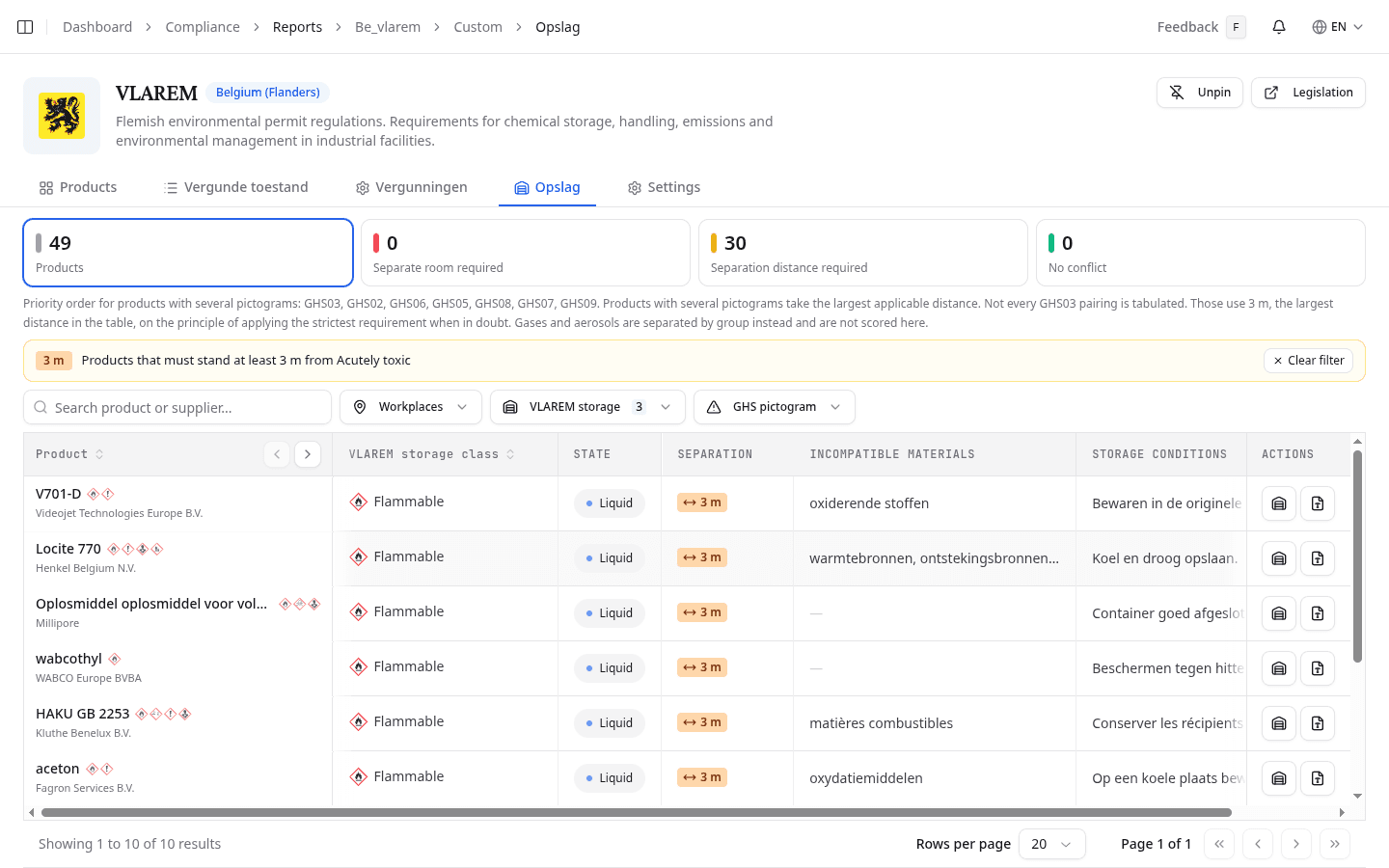
Storage details on a row opens the same storage sheet as the Storage overview.
Read the class NextSDS assigned
| Storage class | Assigned from |
|---|---|
| Explosive | GHS01, explosives and unstable explosives |
| Flammable | GHS02 |
| Oxidising | GHS03 |
| Corrosive | GHS05 |
| Acutely toxic | GHS06, the skull and crossbones |
| Harmful | GHS07, the exclamation mark |
| Long term health hazard | GHS08 |
| Hazardous to the environment | GHS09 |
| Combustible liquid, no pictogram | Flash point between 60 and 250 °C, so no CLP pictogram applies |
| Gas under pressure | Cylinders and other compressed gases |
| Aerosol under pressure | Aerosol dispensers |
A product carrying several pictograms is placed by priority order: GHS03, GHS02, GHS06, GHS05, GHS08, GHS07, GHS09. It then takes the largest distance that applies to it. Where the VLAREM table does not tabulate a GHS03 pairing, NextSDS applies 3 metres, the largest distance the table holds, because the regulation says to keep the strictest separation when in doubt.
Check gases and aerosols by group
Cylinders and aerosols carry a higher risk, so VLAREM keeps them apart by group rather than by pictogram distance. Their separation column shows the group instead of a distance.
| Group | Covers | Examples |
|---|---|---|
| Gas group 1 | Flammable gases | acetylene, propane, butane |
| Gas group 2 | Acutely toxic or corrosive gases | ammonia |
| Gas group 3 | Oxidising gases | oxygen |
| Gas group 4 | Other, inert gases | argon, nitrogen, helium |
Each pair of groups has its own distance table, with thresholds that grow with the capacity you store. NextSDS does not score those distances, so gases and aerosols are counted in Products but never in the three conflict figures. The same holds for a product NextSDS could not classify. Check both against the regulation yourself.
What to do next
Record the separation you actually apply against each workplace, so an inspector can see the stored situation matches the permitted one.