The Storage overview
Find out whether anything in your inventory cannot be stored alongside something else.
Storage leads with four counts: Products, Prohibited combinations, Segregation required, and No conflict. They answer the question the framework exists for, which is whether anything in your inventory cannot be stored alongside something else.
The table shows each product's GHS pictograms, physical state, ADR class, storage conflict, incompatible materials, and storage conditions. Filter by Workplaces or ADR class.
Find what one product must stand away from
Point at a product's storage conflict to open Keep apart from. It lists every hazard class in your library that this product has to be separated from, grouped by the distance required, and each line filters the table: Show everything that needs separating takes all of them, a band such as 5 m or more takes everything at that distance or greater, and a single class takes only that class. Compatible means they may share a compartment, so there is nothing to filter. Once filtered, a banner states the filter in words and Clear filter removes it.
Read one product's storage requirements
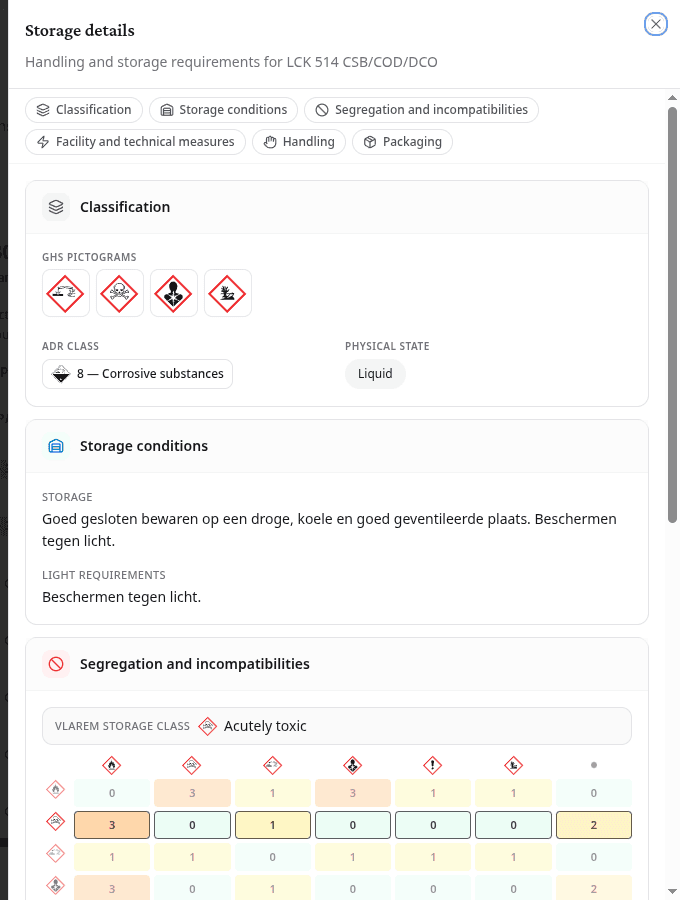
Storage details on a row opens what the SDS says about storing that one product: its classification, storage conditions, segregation and incompatibilities, facility and technical measures, handling, and packaging. Point at a hazard class in the segregation matrix to read the requirement against it.
What to do next
Flemish teams should also check VLAREM storage separation, which scores the same inventory against the VLAREM storage classes.