Scan products against regulatory lists
Check your chemical inventory against current regulatory substance lists to identify products that may be affected by restrictions, authorisations, or monitoring requirements.
Horizon scanning compares every substance in a product's bill of materials against regulatory lists — EU, governmental, industry, and international frameworks — to flag chemicals on restriction, authorisation, or monitoring lists. The page has two tabs: Runs for managing scans, and Regulations for browsing available lists.
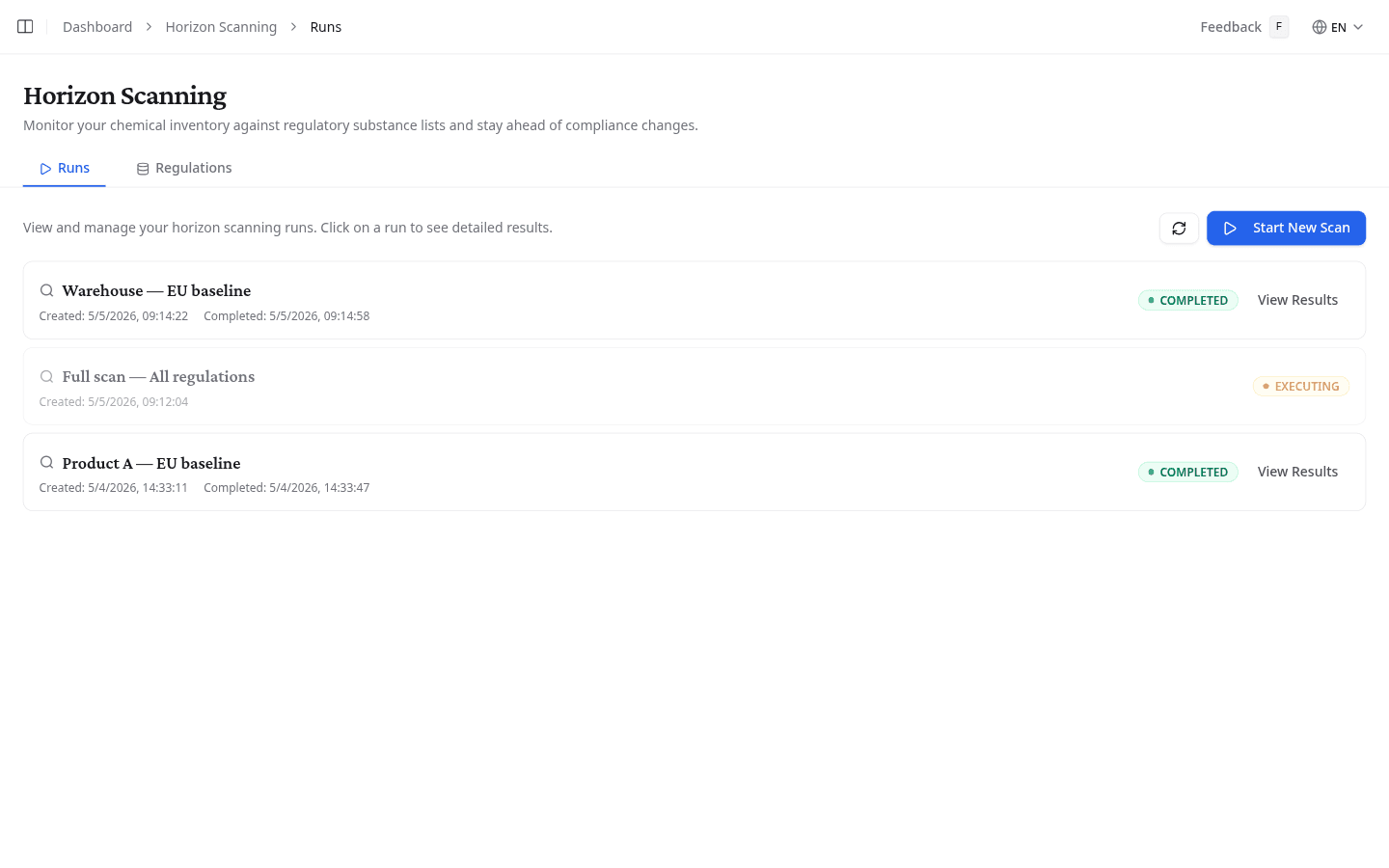
Start a new scan
Select Start New Scan from the Runs tab to open the scan setup page.
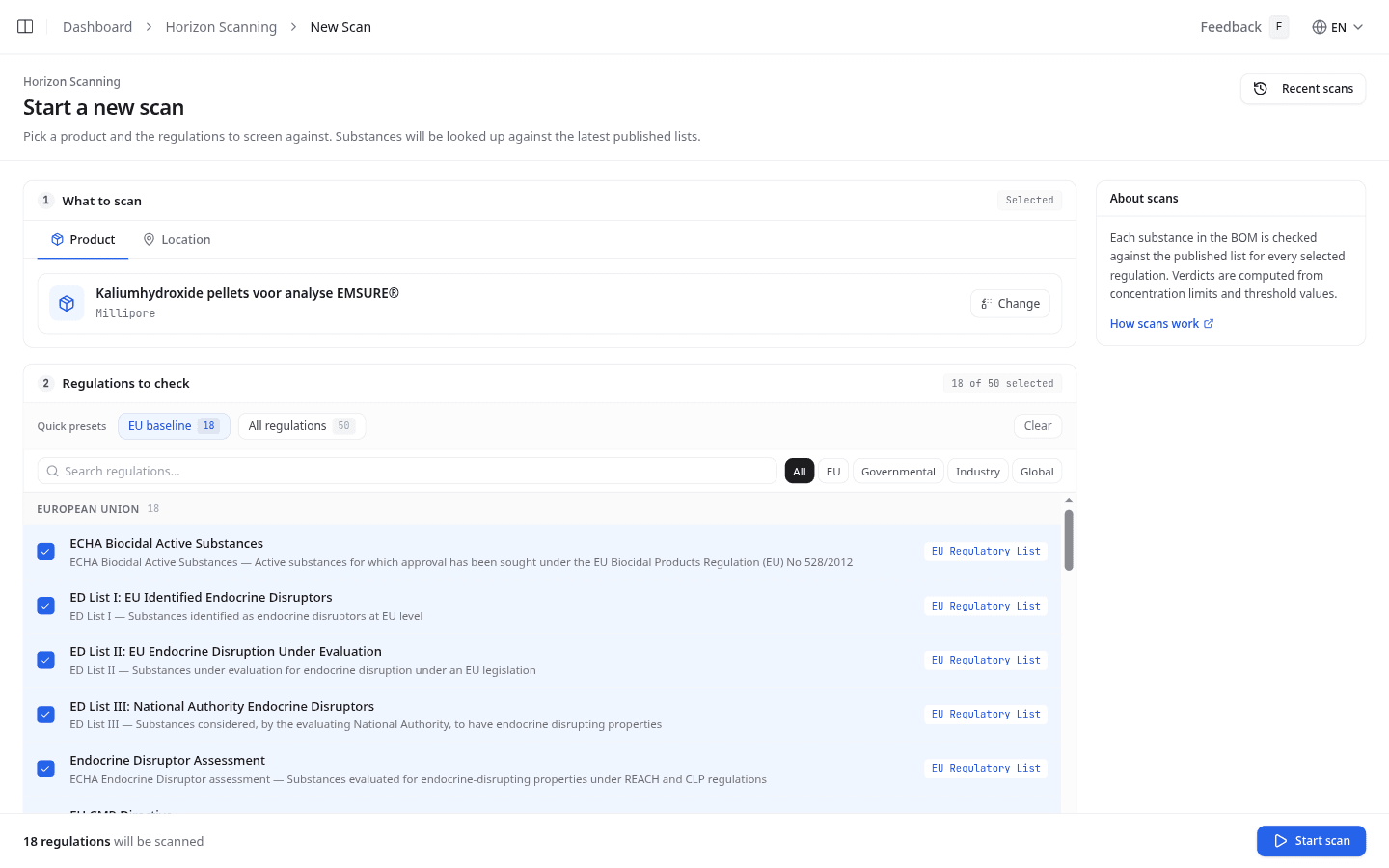
Step 1: Choose what to scan
Select the Product or Location tab, then use the search field to pick what to scan. For a product scan, NextSDS checks the bill of materials of that one product. For a location scan, it checks every product assigned to that workplace.
Once selected, the chosen item appears as a card. Select Change to pick a different product or location.
Step 2: Choose regulations
The Regulations to check section lists all available regulatory groups. Use the quick presets to get started:
- EU baseline: selects all European Union regulatory lists
- All regulations: selects every available list
- Clear: deselects everything
Use the search field to find a specific list by name or description. Use the filter chips to narrow by source category: EU, Governmental, Industry, or Global.
The counter at the top right shows how many regulations are selected. If you leave all deselected, NextSDS scans against every available list.
Start the scan
Select Start scan. The summary shows how many regulations will be checked before you confirm. The scan runs in the background and a new entry appears in the Runs tab with an EXECUTING status while it runs.
Review your scan history
Each scan appears in the Runs tab with a status indicator:
| Status | Meaning |
|---|---|
| COMPLETED (green) | Scan finished. Select View Results to open the results |
| EXECUTING (blue, pulsing) | Scan is currently running |
| QUEUED (yellow) | Scan is waiting to start |
| FAILED (red) | Scan could not complete. Start a new one |
Select the refresh button to update the list while a scan is running.
Browse regulatory lists
Switch to the Regulations tab to see all available regulatory lists. Each list card shows the list name, a source type badge, a short description, and the last update date.
Use the filter chips at the top to show only lists from a specific source category. Use the severity filter to narrow by risk level:
| Severity | What it means |
|---|---|
| High (red) | Restriction, authorisation, or banned substance lists |
| Medium (orange) | Candidate lists and substances of very high concern (SVHC) |
| Low (grey) | Monitoring and information lists |
What to do next
After a scan completes, select View Results to open the scan results and see which substances matched a regulatory list.