Filter your library by hazard, PPE, transport, and other categories
Browse pre-built filter rules organised by safety category to quickly find products in your library that match specific hazard classes, PPE requirements, or regulatory criteria.
Each filter rule targets a specific safety criterion and opens your library filtered to matching products.
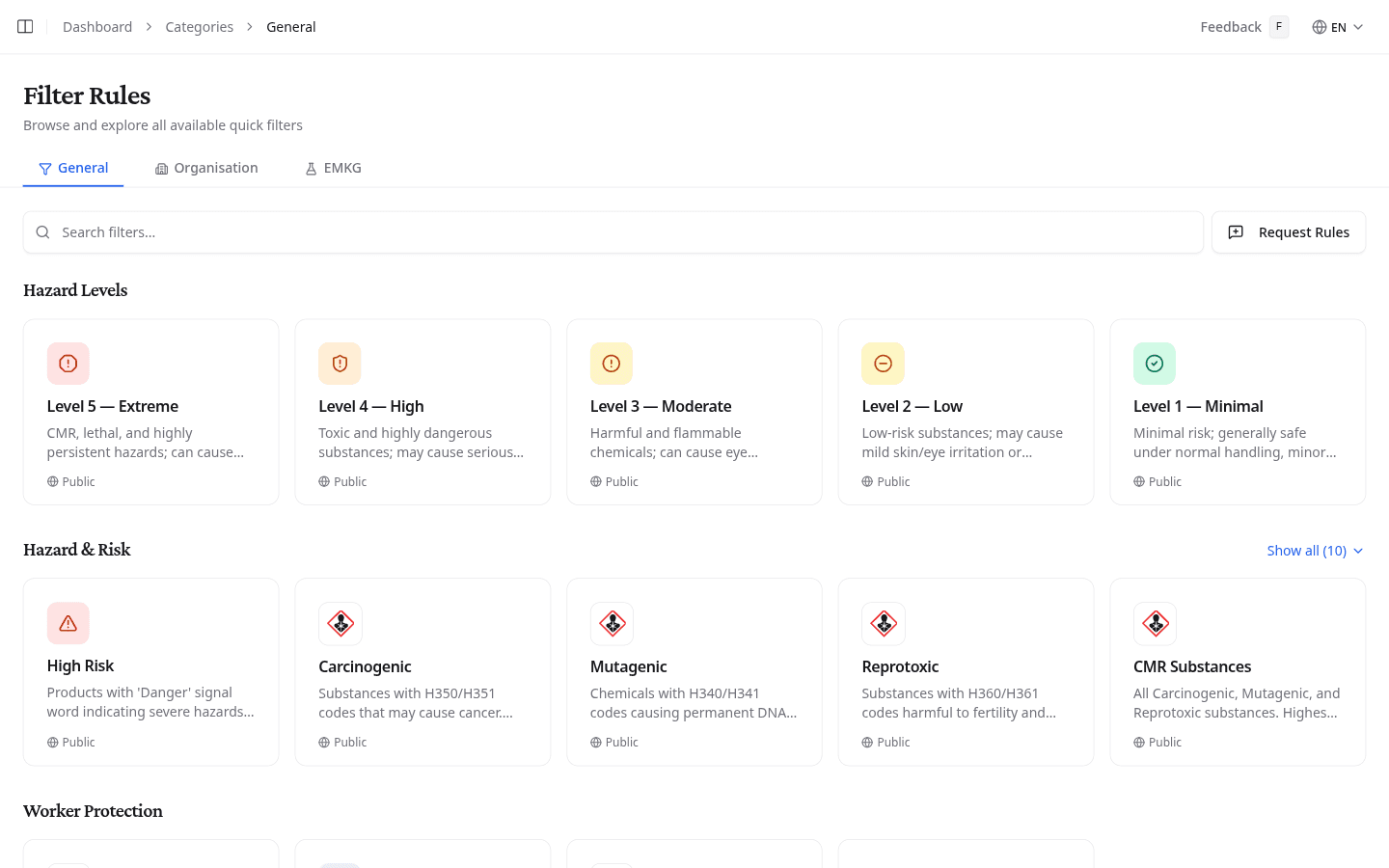
Browse filter categories
Filters are organised into three tabs:
| Tab | What it shows |
|---|---|
| General | Pre-built filters available to all teams: hazard and risk, worker protection, PPE requirements, transport classification, chemical properties, flammability, physical state, substance types, document age, and supply chain |
| Organisation | Filters specific to your team's enabled enrichments, such as VLAREM permit and storage rules, waste classifications (SGS), storage classifications (SGS, TRGS 510), and BBEU rules |
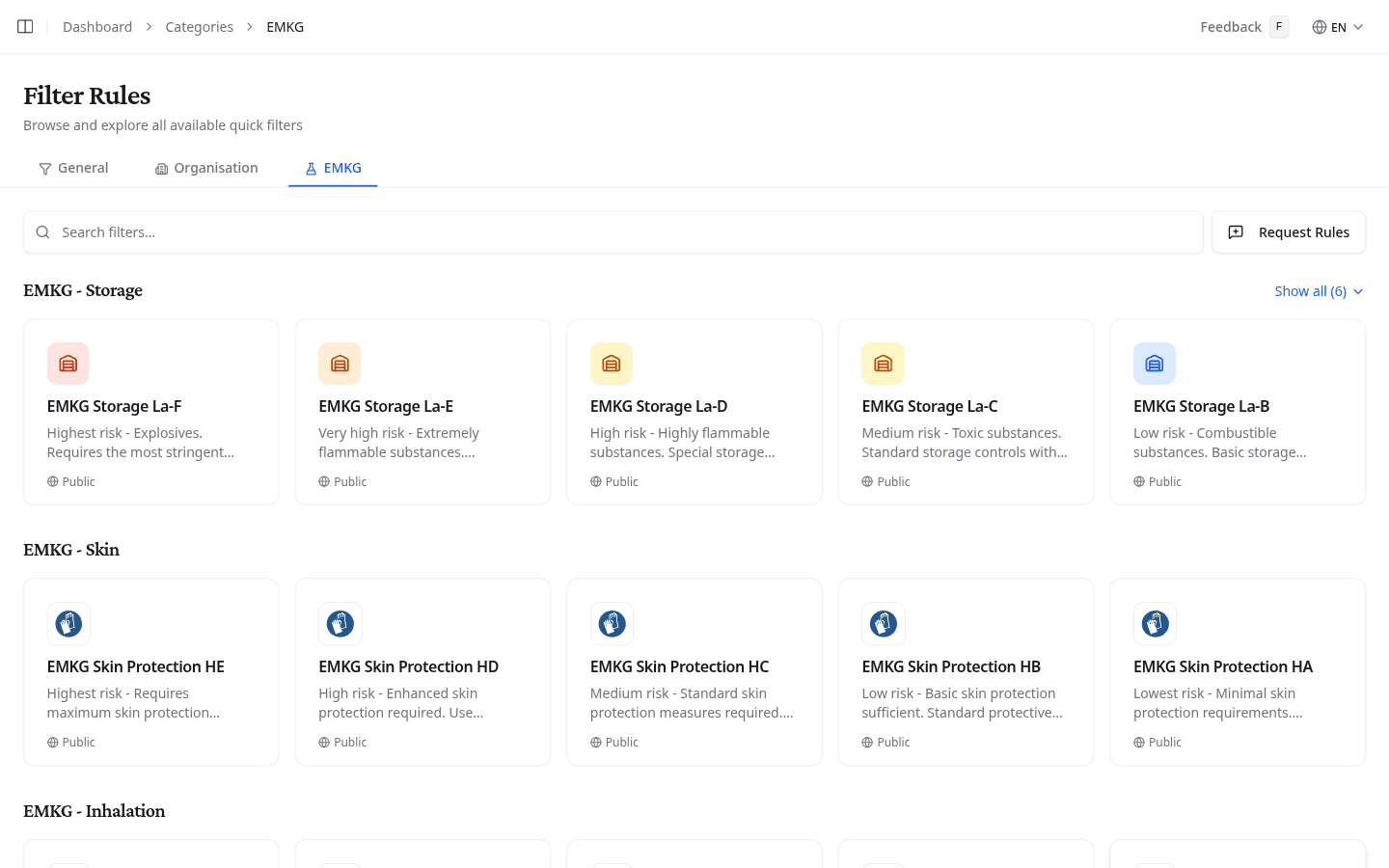
| EMKG | EMKG risk group filters for storage, skin contact, inhalation, fire, and eye exposure, graded from A (lowest risk) to F (highest) |
Find filters by safety topic
The General tab groups filters into these categories:
| Category | Examples |
|---|---|
| Hazard & Risk | High Risk, Carcinogenic, Mutagenic, Reprotoxic, CMR Substances |
| Worker Protection | Pregnancy Dangerous, Young Workers Dangerous, Sensitizing |
| PPE Requirements | Respiratory, hand, eye, body, and footwear protection required |
| Transport & Regulatory | Dangerous goods, marine pollutant, transport regulated, high hazard class |
| Chemical Properties | Corrosive, oxidizing, water-reactive, self-reactive |
| Flammability | Highly flammable liquids, easily flammable, combustible, low flash point |
| Physical State & Properties | Liquid state, volatile compounds, high-temperature materials |
| Substance Types | Pure substances, complex mixtures, high-concentration components, nanomaterials |
| Document Age & Status | SDS less than 1 year, 1–3 years, 3–5 years, more than 5 years |
| Supply Chain | Manufacturer direct, EU-only representative |
Each category shows up to five filter cards by default. Select Show all to reveal the complete set.
Filter by organisation-specific rules
The Organisation tab shows filters that depend on your team's enabled enrichments. Available categories vary by organisation and may include:
| Category | What it covers |
|---|---|
| Permit: VLAREM | Flemish environmental permit classifications for storage and handling |
| Storage: VLAREM | VLAREM storage classes for corrosive, flammable, toxic, and oxidizing substances |
| Storage: SGS Classification | SGS storage compatibility groups |
| Waste: SGS Classification | SGS waste stream categories (halogenated solvents, acids, heavy metals, etc.) |
| Storage: TRGS 510 | German TRGS 510 storage classes for hazardous substances |
| BBEU | Belgian chemical industry association classification rules |
If no enrichments are enabled for your team, this tab shows "No organization filters enabled." Contact your account manager to activate organisation-specific enrichments.
Filter by EMKG risk group
The EMKG tab shows risk group filters organised by exposure route. Each group is graded from A (lowest risk) to F (highest), determining the control measures required under the EMKG method.
| Category | What it covers |
|---|---|
| EMKG: Storage | Storage class from La-A (lowest risk) to La-F (explosives, most stringent controls) |
| EMKG: Skin | Skin protection level from HA (minimal) to HE (maximum protection required) |
| EMKG: Inhalation | Inhalation risk group from A (lowest exposure) to E (highest) |
| EMKG: Fire | Fire risk classification from pc-A (lowest) to pc-E (highest) |
| EMKG: Eyes | Eye protection requirements from Au-A (lowest) to Au-C (highest) |
Apply a filter to your library
Select any filter card to open your library filtered to the matching products. For example, selecting CMR Substances shows only products classified as carcinogenic, mutagenic, or reprotoxic.
Search for a specific filter
Type a filter name or keyword into the search field at the top of the page. The list updates to show only matching filters across all categories, with a count of how many filters match.
Request additional filter rules
Select Request Rules to ask the NextSDS team to add a new filter rule that is not yet available.