API Keys
Create and manage API keys for programmatic access to NextSDS.
API keys allow external systems to connect to NextSDS on behalf of your team. For example, use them to update inventory data from a warehouse management system or scan barcodes with a mobile device. Each key is scoped to your team and can be revoked at any time.

Create an API key
- Select Create API Key in the top right.
- Enter a name that describes what the key is used for (e.g. "Inventory sync" or "Mobile scanner").
- Choose a key type:
- Machine Key: for server-to-server integrations (generates a long unique identifier)
- Device Key: for mobile applications and handheld scanners (generates a short numeric code)
- Select Create.
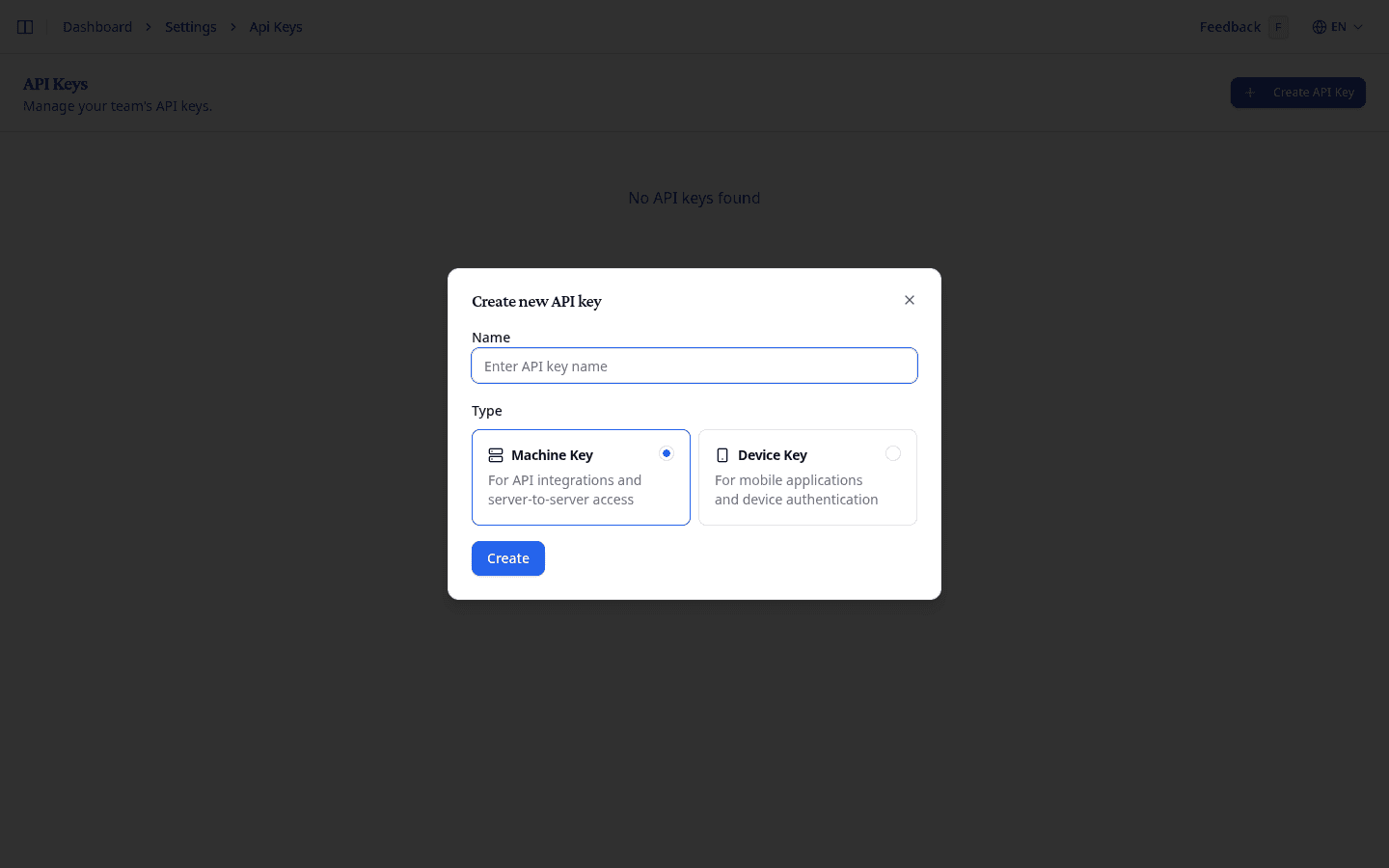
The new key appears in the table. Select the copy button next to the key value to copy it to your clipboard.
Store the key securely. It provides full access to your team's data. If a key is compromised, delete it immediately and create a new one.
Manage API keys
The API keys table shows each key's name, type, value, status, creation date, and when it was last used.
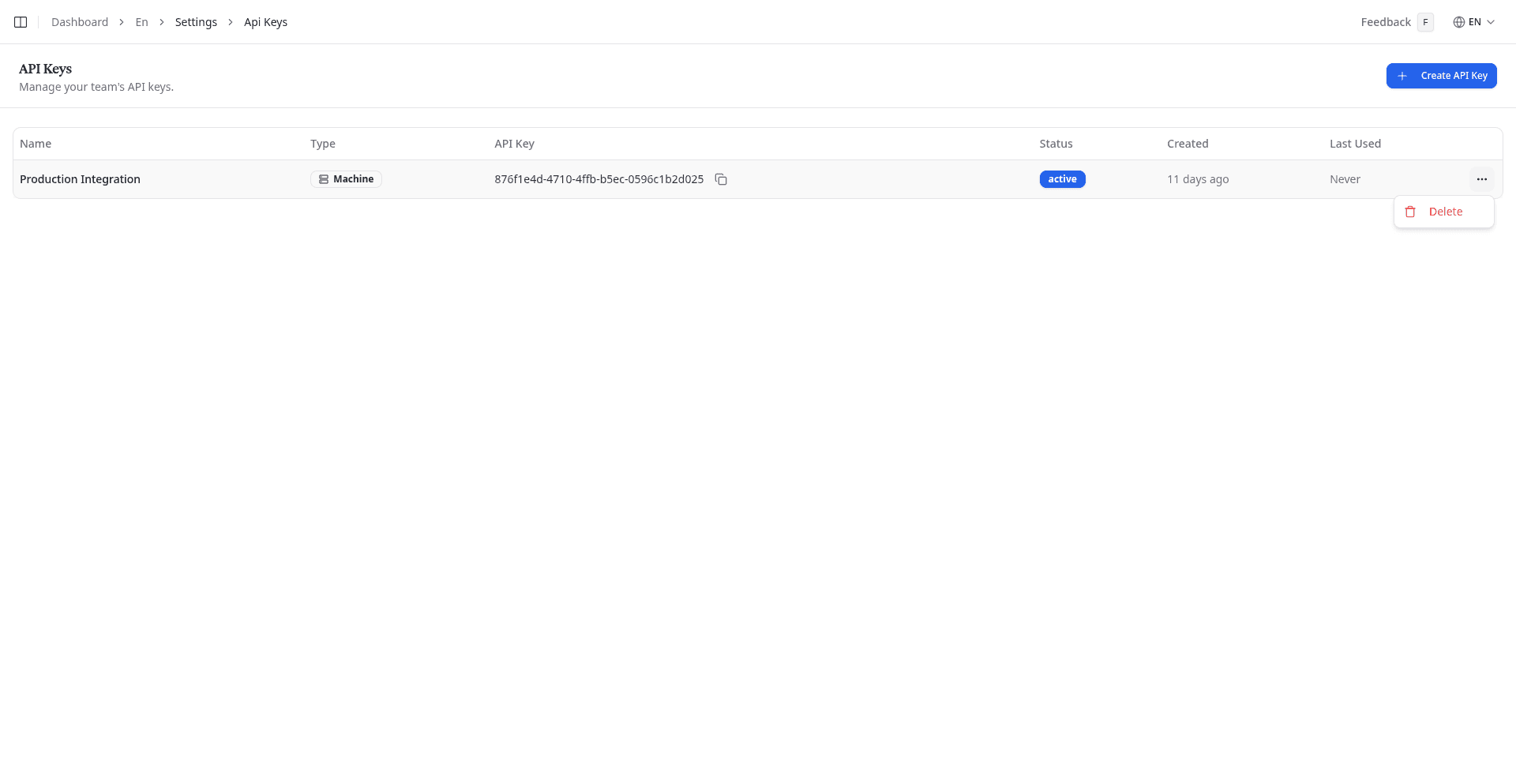
Delete an API key
- Select the options menu (⋯) on the key's row.
- Select Delete.
Any external system using the deleted key will immediately lose access.
What to do next
See team settings to update your team name and logo, or manage users to control who has access.